
This guide is based on a browser-recorded walkthrough in the rebuilt DrillerDB console. When a step can send, submit, export, or change account access, the guide calls out the review boundary.
Projects are the central job record in DrillerDB, but the user workflow is the lifecycle: create the drilling project, add customer and location details, build and send the proposal, complete field/well-log and compliance work, then invoice from the completed record. This guide is a read-only orientation to where those pieces live so users can jump into the right workflow guide.
Quick Start
- Open Projects to find the job record by status, customer, location, well type, or priority.
- Use the project detail page as the hub for customer, location, proposal, invoice, well log, compliance, files, and history.
- Open Proposal when the office is ready to build and send customer pricing.
- Open Well Log and Compliance when field work is complete and permit paperwork needs review.
- Open Invoice only after completed field, well-log, and compliance data are ready for billing.
Step-by-Step: Projects & Wells
Open Projects
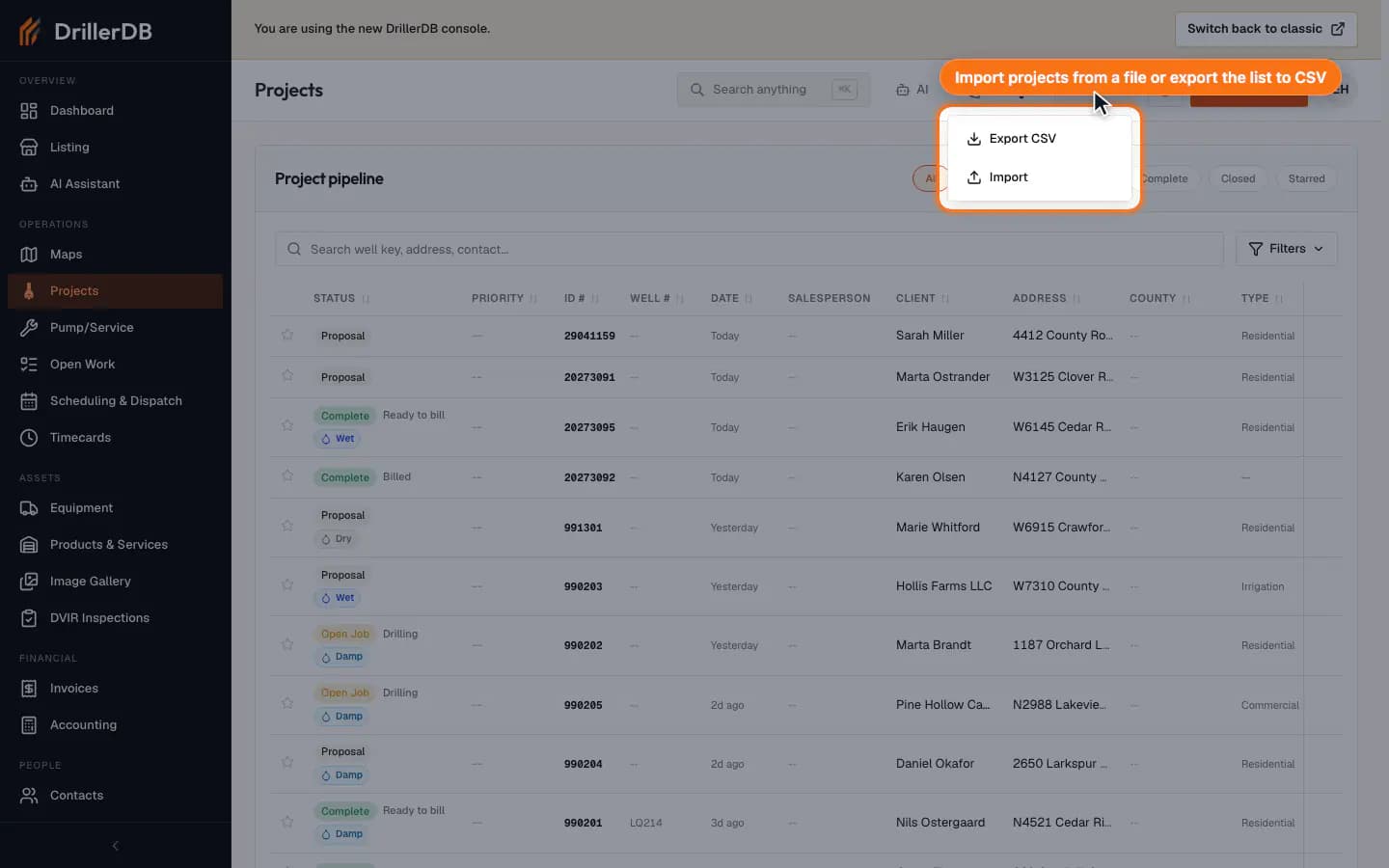
Open Projects. The Project pipeline card holds the status pills, search, Filters, and the project table. Import and Export CSV are in the page header (under More on a narrow screen).
Filter by stage or field context
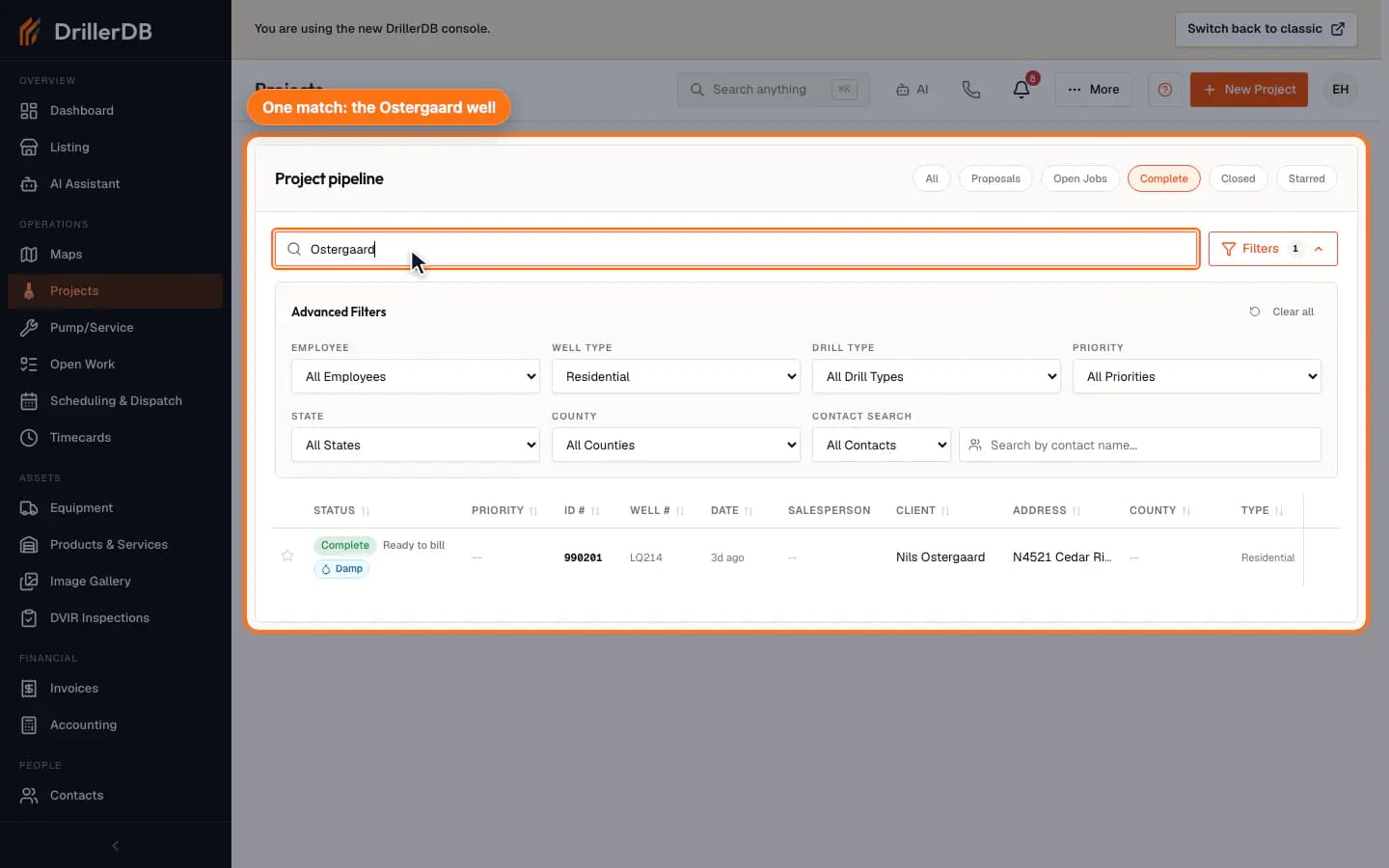
Use the status pills (All, Proposals, Open Jobs, Complete, Closed, Starred) to filter by stage. Use advanced filters for employee, well type, drill type, priority, state, county, and contact search when the list is busy.
Filtering the list is read-only. Status changes, dispatch, delete, and export actions are separate controls.
Open the project overview
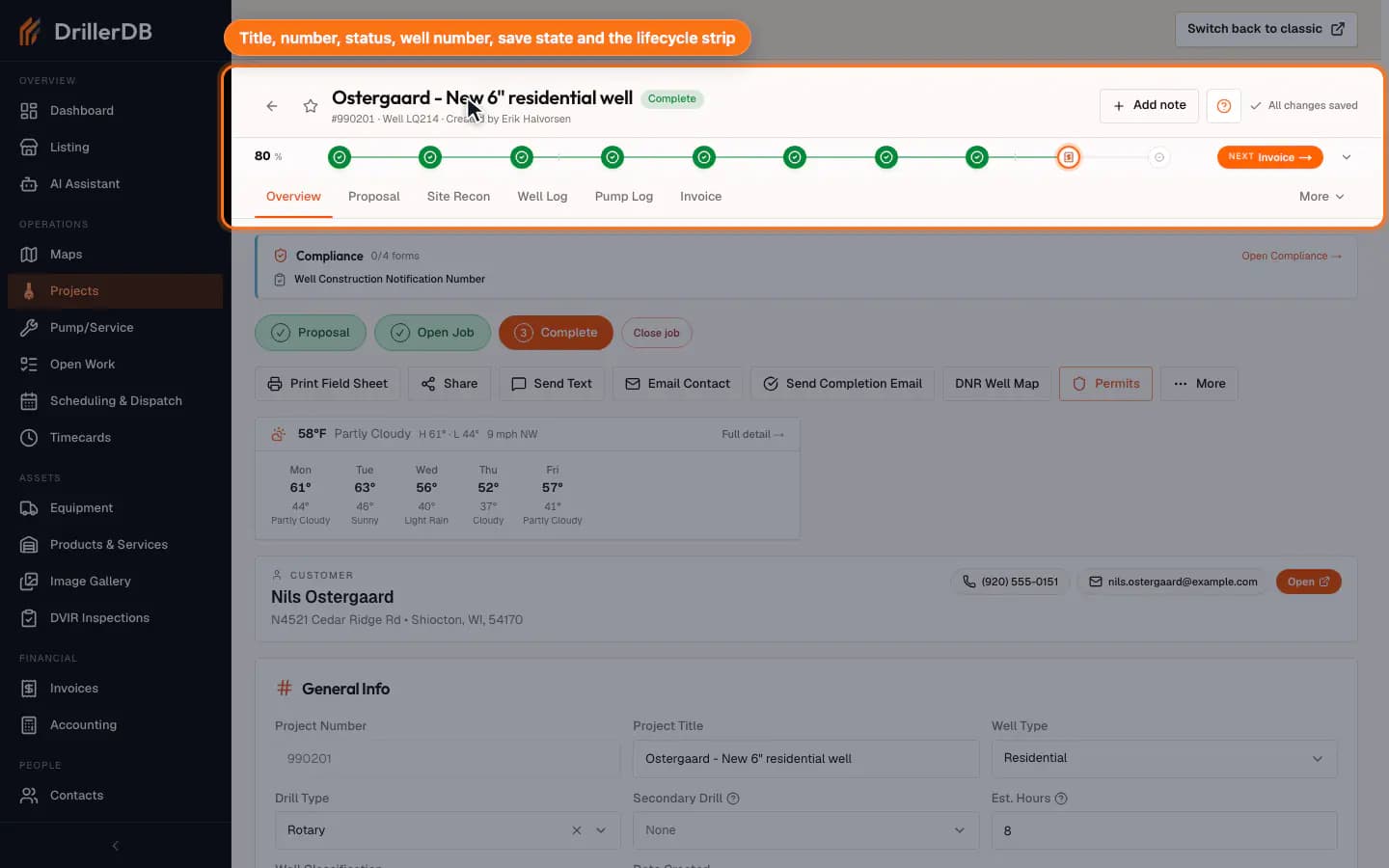
Click a project row to open the detail page. The sticky header shows the project title, project number, status, well number, save state, and lifecycle strip while you work through the record.
Use tabs to move through the job record
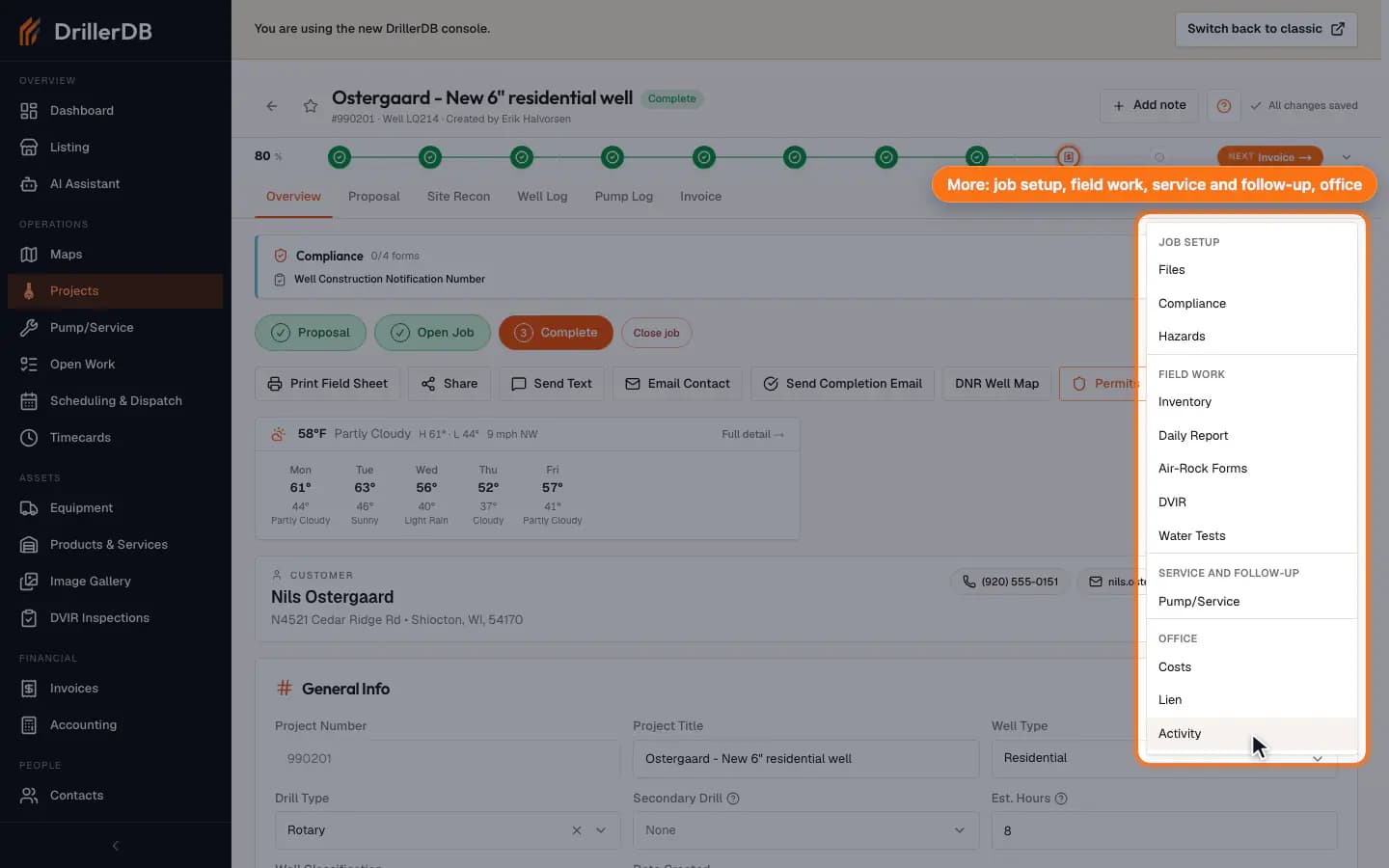
The primary tabs keep the highest-frequency work visible: Overview, Proposal, Site Recon, Well Log, Pump Log, and Invoice. Use More for the supporting tabs, grouped by when you need them: job setup (Files, Compliance, Hazards, Geothermal), field work (Inventory, Daily Report, Air-Rock Forms, DVIR, Water Tests, Lab), service and follow-up (Pump/Service, Inspection History), and office (Costs, Lien, Activity). Files and Site Recon are part of the Professional and Enterprise plans and are not shown on Starter; which other tabs you see also depends on your role, plan, and company settings.
This guide shows where the tabs are. The proposal, compliance, well-log, and invoice workflows each have their own detailed guide.
Open Well Log or closeout tabs when field work is complete
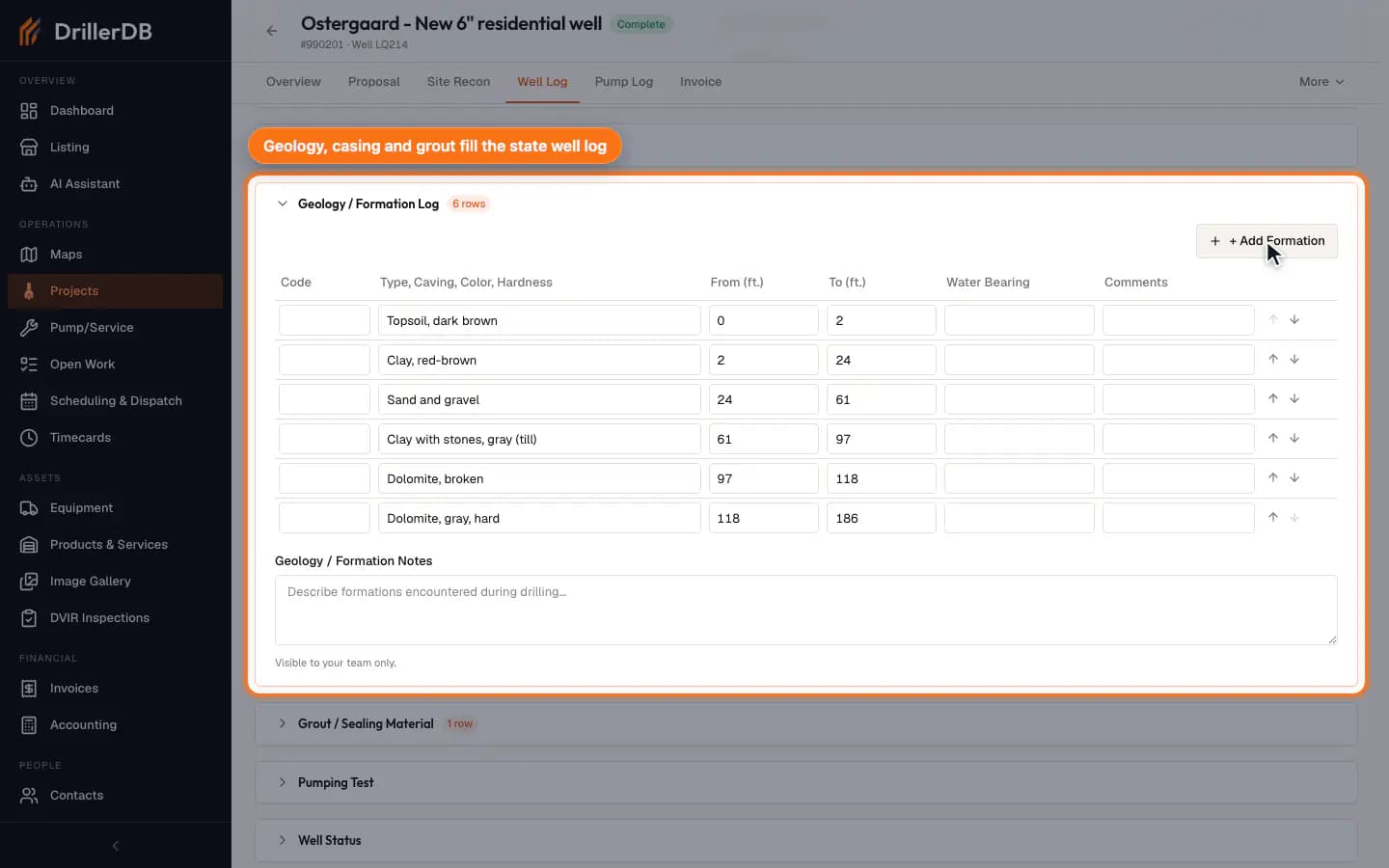
Use Well Log for drilling and construction details, Compliance for required forms, Invoice for billing, and Activity/Files for supporting history. For a Wisconsin well (and other states the DrillerDB Chrome extension supports), the Well Log tab links straight to Compliance for the state forms.
Workflow orientation
The first workflow investigation produced a useful route and feature-surface inventory, but it did not fully capture how DrillerDB users think about the work. Treat Projects & Wells as the job-record hub for the real workflows: drilling project creation, customer/location setup, proposal delivery, field completion, compliance paperwork, and billing from completed work.
For pump and service work, use the Work Orders guides. Service jobs follow the same customer-to-proposal pattern, but they start from a pump/service work order instead of a drilling project.