Features · The whole platform
Scheduling, well logs, maps, state paperwork and invoicing — built for water well drilling contractors, not adapted from generic project software. Here’s what’s inside.
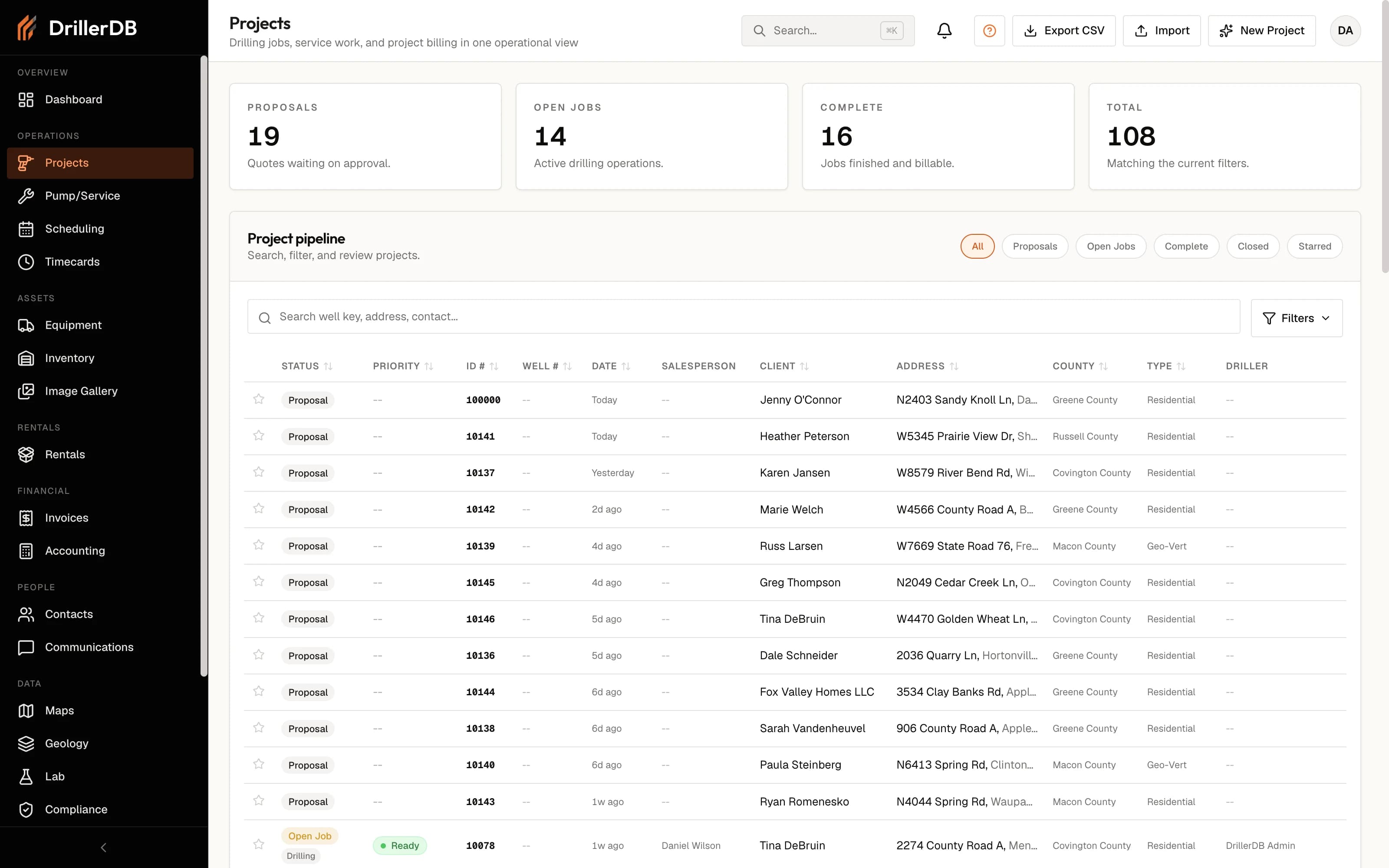
Office · Projects
Every quote, open job and finished well lives in the same pipeline — with the customer, county, well type and driller on the record. No more whiteboard, no more “which spreadsheet is current?”
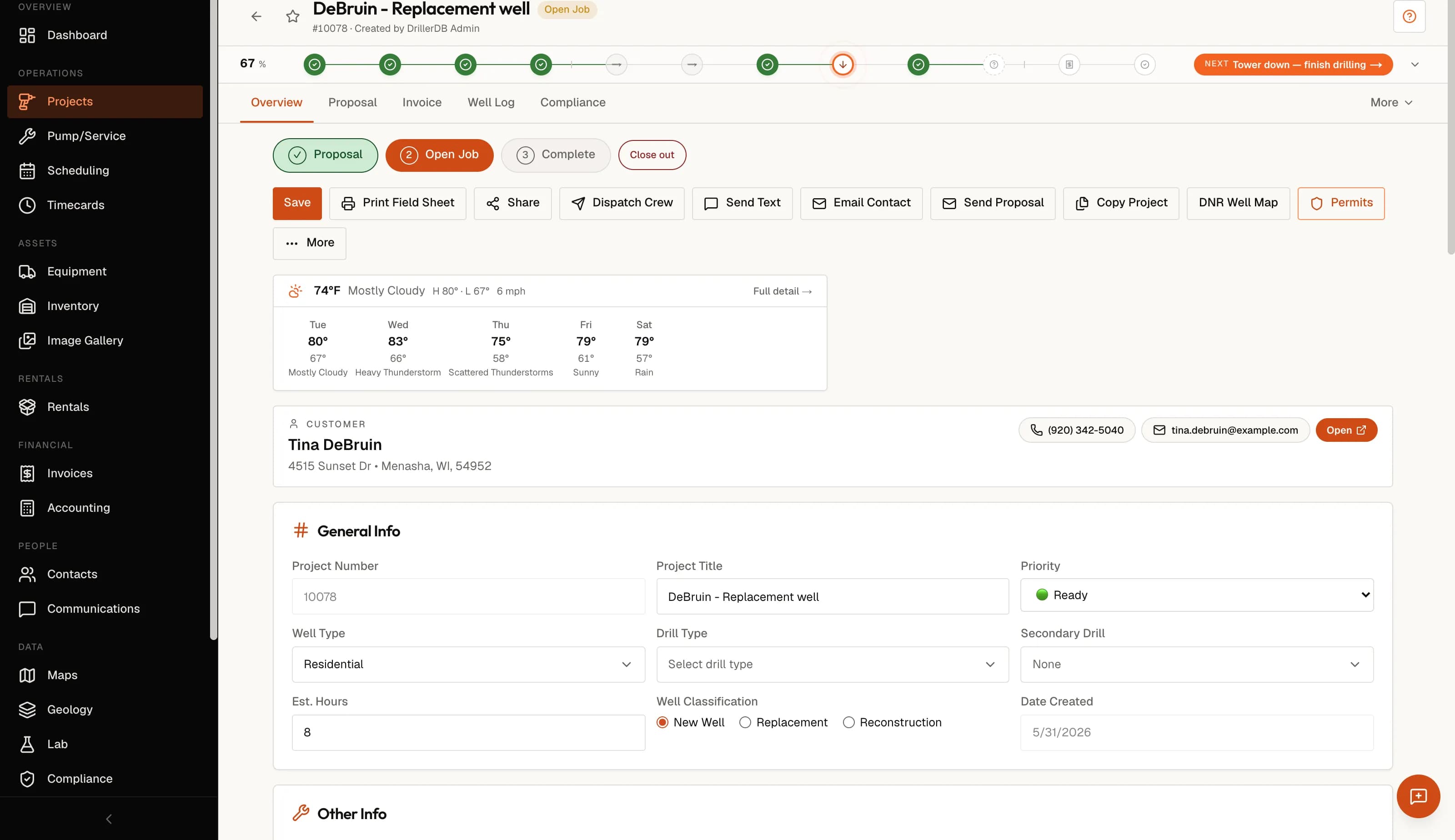
Status, progress, weather at the site, customer contact and next step — one page per well, visible to the office and the field.
Build the quote from templates and your real costs, send it, and watch it move to an open job when they approve.
Customers, builders and pump installers in one rolodex, tied to every job and invoice they ever touched.
Revenue, footage drilled, completion rate and open invoices on the dashboard the moment you log in.
Scheduling · Field
Dispatch rigs, pump crews and service calls from one color-coded calendar — then let the crew log wells, hours and materials from the phone, with or without cell signal.
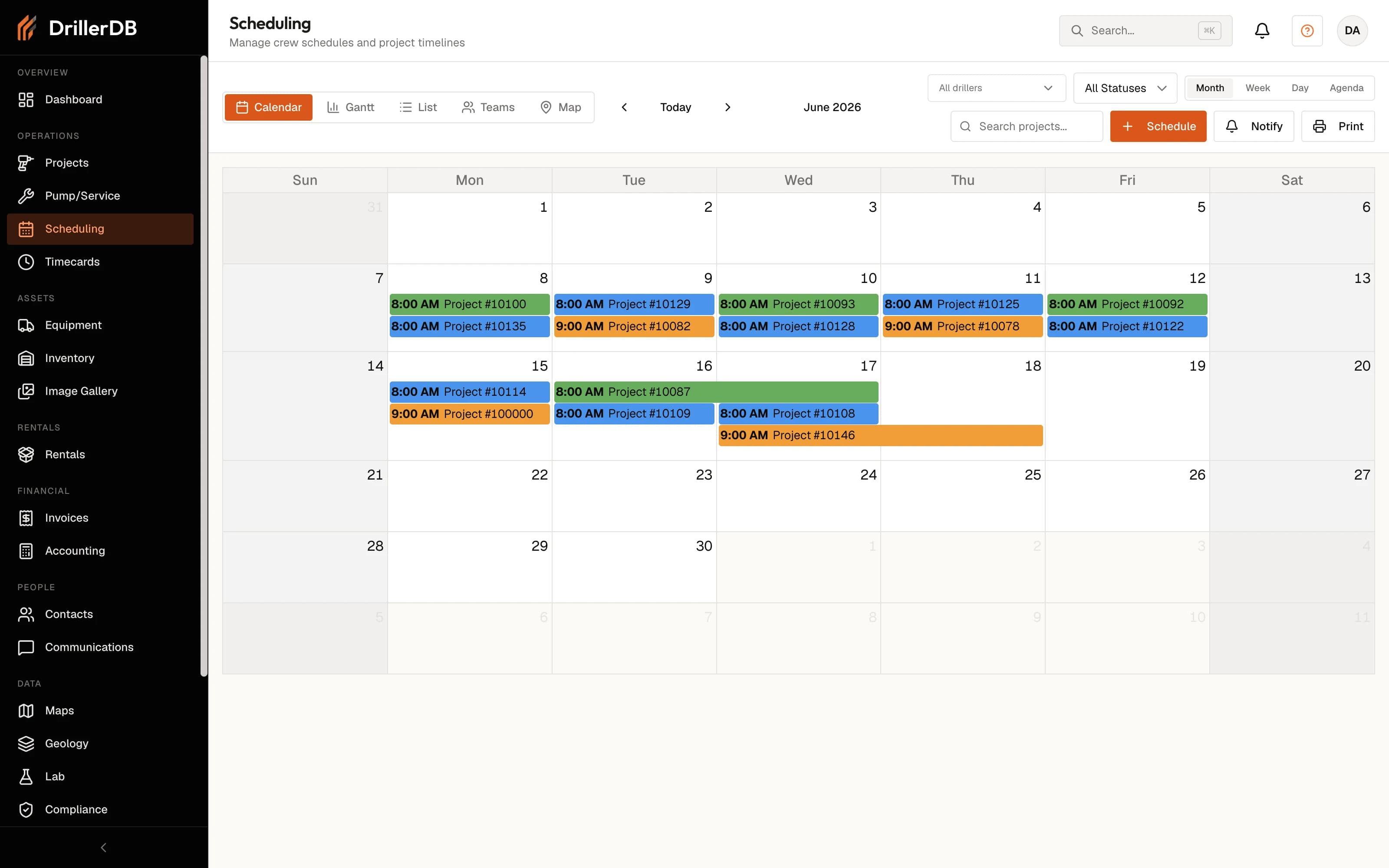
Month, week, Gantt, list or map view. Color-coded by team. Check the site forecast on the project before you commit the rig.
No-water calls, pump swaps and inspections dispatched, tracked and billed like first-class jobs.
Well logs, photos, GPS and tower-up/tower-down from the field. Everything syncs when the signal comes back.
Crews clock time against the job from the same app, so payroll and job costing stop being a Friday project.
Maps · Well intelligence
Drop a pin and see what the state recorded for the wells around it: depth, year and use, with a link to the scanned log where the state publishes one. Plan the whole site in 3D, quote with real offset data instead of a guess, and hand the crew a map with parcels and township grid already on it.
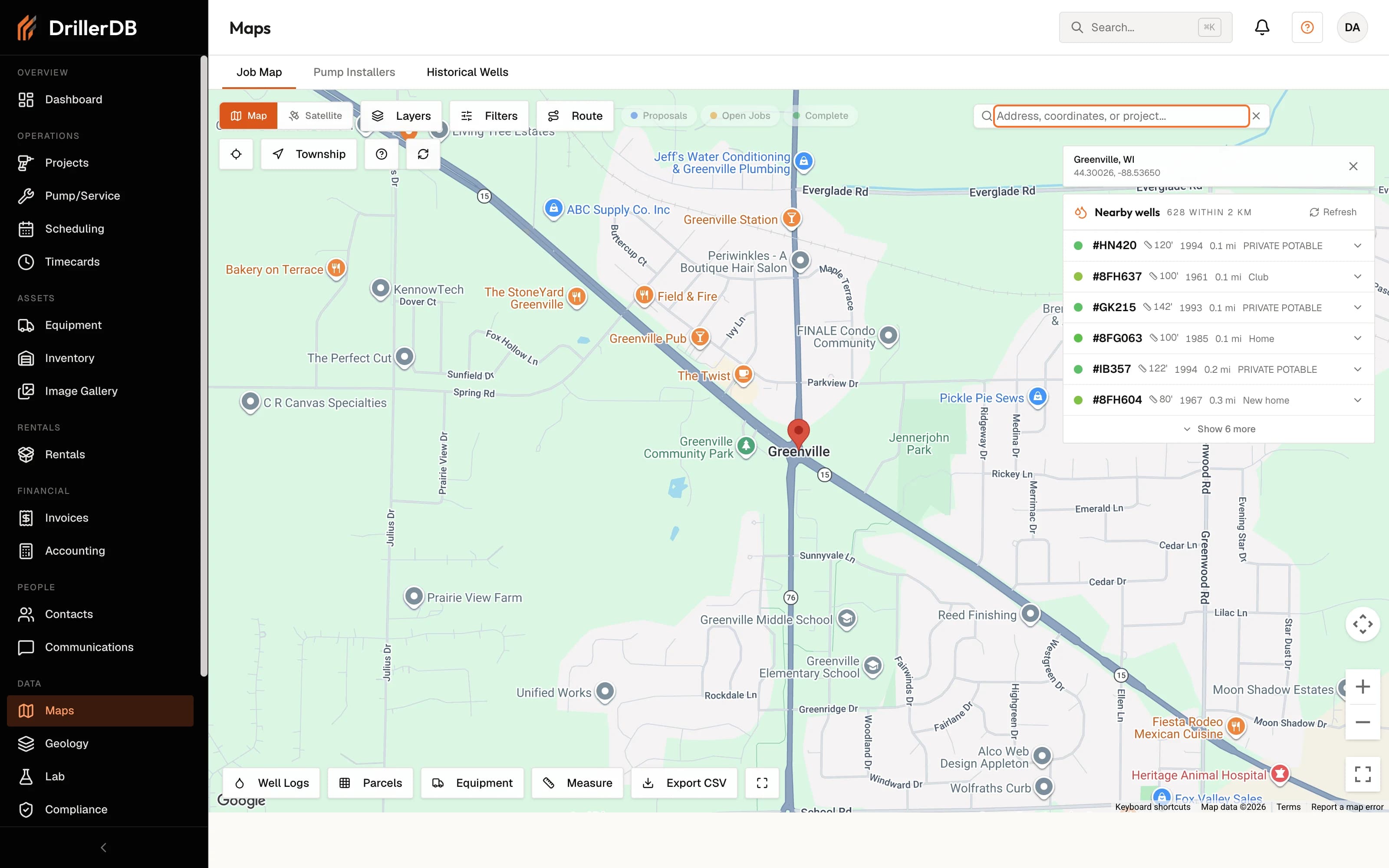
Stake the well over real terrain, aerial imagery and parcel lines — check septic setbacks and rig clearance, then export a proposal-ready site plan.
Depths, years and uses from the state well records around your site, ranked by distance — before the bit ever turns.
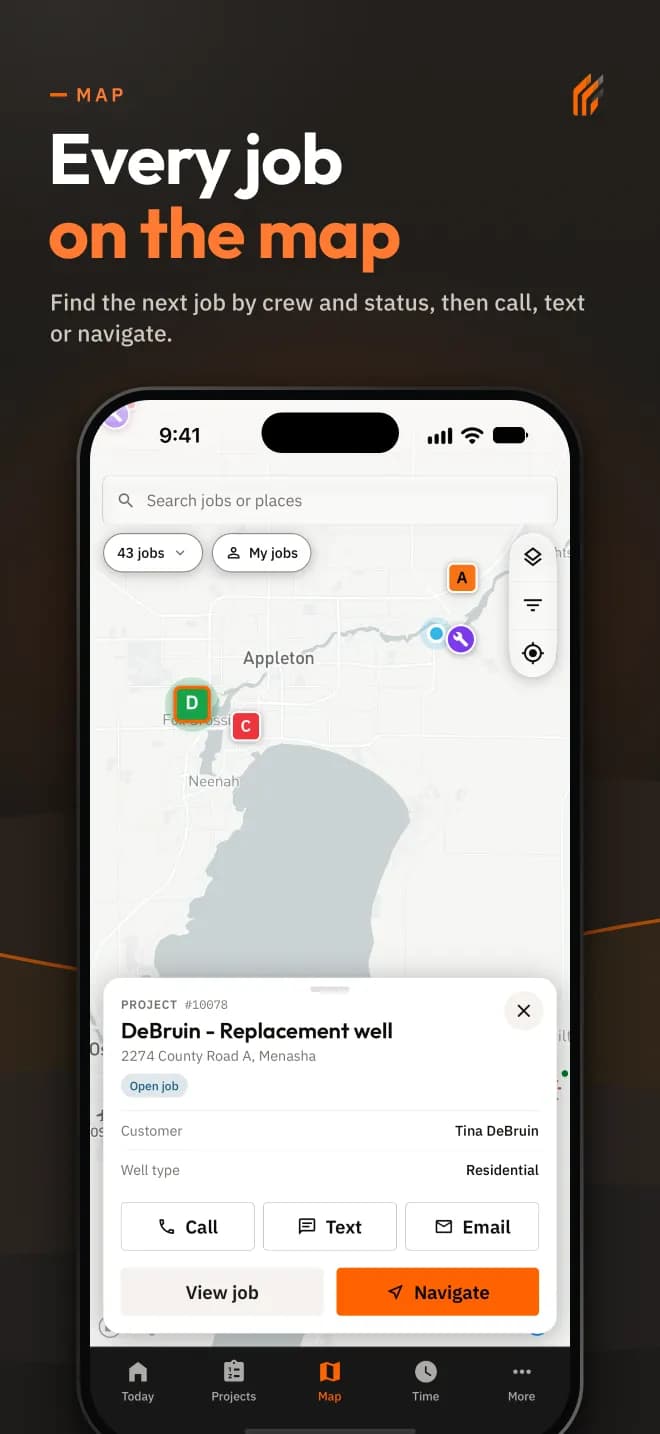
Proposals, open jobs and completed wells over parcel lines, township grid and satellite — filter and route from the same screen.
AI reads decades of paper and PDF well logs into searchable, mappable records — so your own data works as hard as the state's.
Money · Billing
The finished job becomes the invoice, with footage, materials and service work already itemized. Customers pay online by card or ACH. If you use QuickBooks Online, each invoice goes there without re-typing.
Invoices
Billing and payment tracking
Vandenberg — 6″ residential well · Greenville, WI
Bauer Family Farms — pump replacement · Shiocton, WI
Schultz Dairy LLC — well inspection · Chilton, WI
Product illustration — invoice to QuickBooks, payment online
Line items flow from the well log and inventory used in the field, so billing matches what actually went in the ground.
Send a payment link with the invoice. Customers pay from their phone; you see it the moment it clears.
Invoices, estimates and customers land in QuickBooks automatically — your bookkeeper keeps their workflow.
Approvals, signatures, invoices and payment in one place, on any device, without an account to manage.
Compliance · Records
Licensing rules, fees and deadlines in one reference. On the Professional plan, your field data fills the state well report for you to check (field-tested in TX, OK, MA, AL and WY), instead of an evening at the kitchen table.
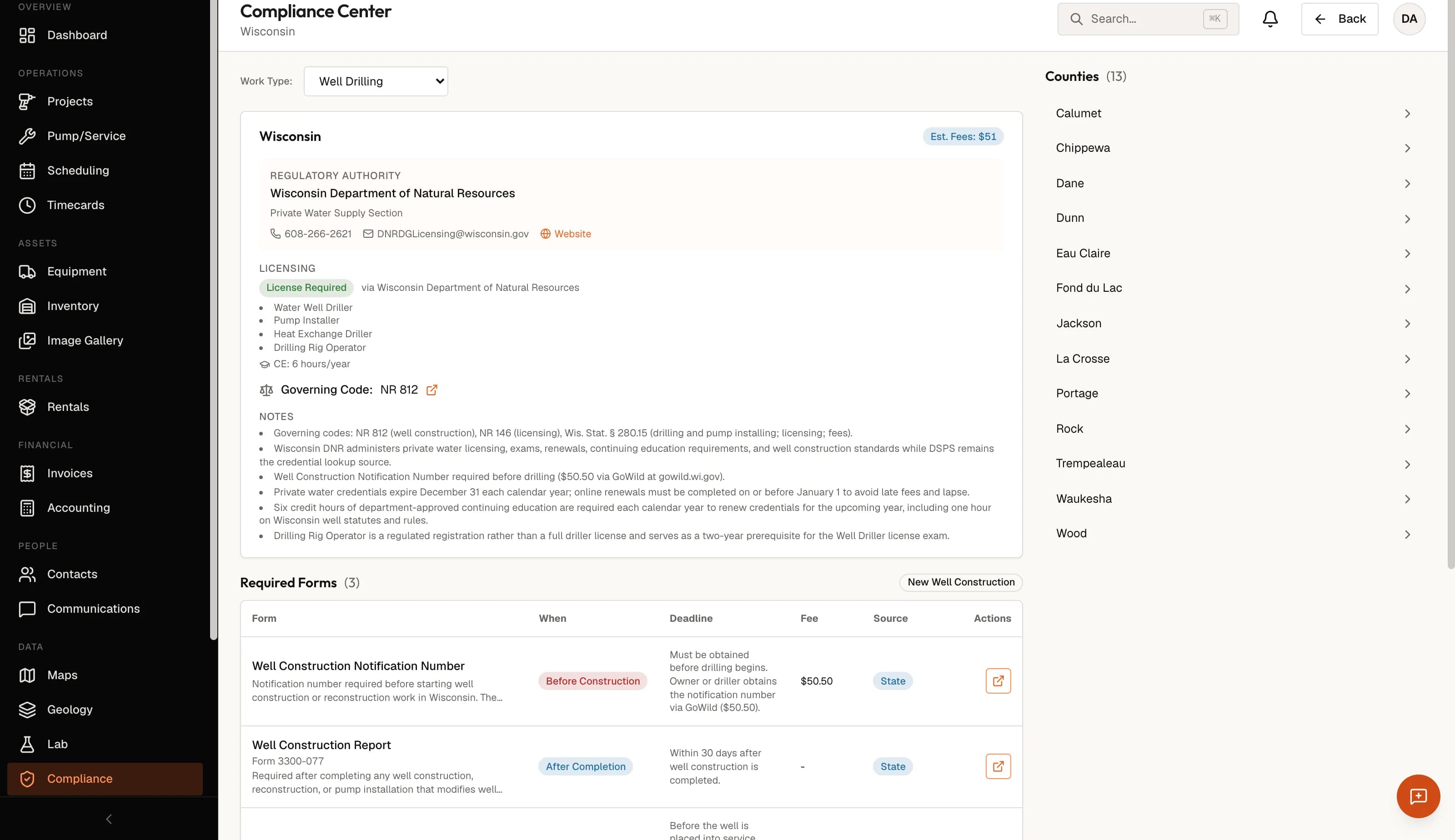
Regulatory authority, licensing requirements, governing codes, fees and county-level rules in one reference.
On the Professional plan, the data your crew logged at the rig fills the state well report for you to check: formations, casing, grout, yield and legal description.
Clean, printable completion reports generated from the job record, ready for the homeowner or the inspector.
Publication-quality well diagrams with geological layers, casing and pump placement, exported to PDF.
The full index
Every feature ships on every plan during your trial. Dig into any of them below.
Purpose-built
General-purpose field service tools can schedule a truck. They can’t read a well log, fill out a state construction report, or tell you how deep the neighbors’ wells are.
| Capability | DrillerDB | Generic tools |
|---|---|---|
| Drilling | ||
| Well logs with geological layers, casing & grout | ||
| Nearby well depths from 23M well records worldwide | ||
| GPS → Section/Township/Range converter | ||
| As-built well diagram generator | ||
| Compliance | ||
| State well form pre-fill | ||
| Licensing, fees & deadlines by state and county | ||
| Operations | ||
| Rig & crew scheduling, with a site forecast on each project | ||
| Offline field apps built for the rig | ||
| Work orders & inventory tracking | ||
| Money | ||
| QuickBooks Online sync | ||
| Customer portal with e-sign & online payment | ||
| Invoices built from footage & materials logged | ||
Get started
Start a free 14-day trial with full feature access, or book a demo and we’ll walk through your workflow — quoting, drilling, filing and billing — in DrillerDB.