
This guide is based on a browser-recorded walkthrough in the rebuilt DrillerDB console. When a step can send, submit, export, or change account access, the guide calls out the review boundary.
When drilling is complete, the office can turn field evidence into paperwork without jumping between disconnected systems. Save the daily report if your company has the Daily Report tab, complete the well log, open the after-completion compliance requirement, fill the permit fields from the completed work, finalize the form, and download the PDF from the Compliance tab. This guide stops at local permit paperwork; it does not email a customer or submit to a state portal.
Quick Start
- If your project page has a Daily Report tab, save the final field report there.
- Open the Well Log tab and save the drilling method, depth, yield, and geology details.
- Open the Compliance tab and expand After Completion.
- Start the completion form, fill the permit fields, and click Save.
- Finalize the form when the office has reviewed it, then download the PDF from Compliance > Completed.
Step-by-Step: Complete Well Log and Permit Work
Save the daily report, if your company has one
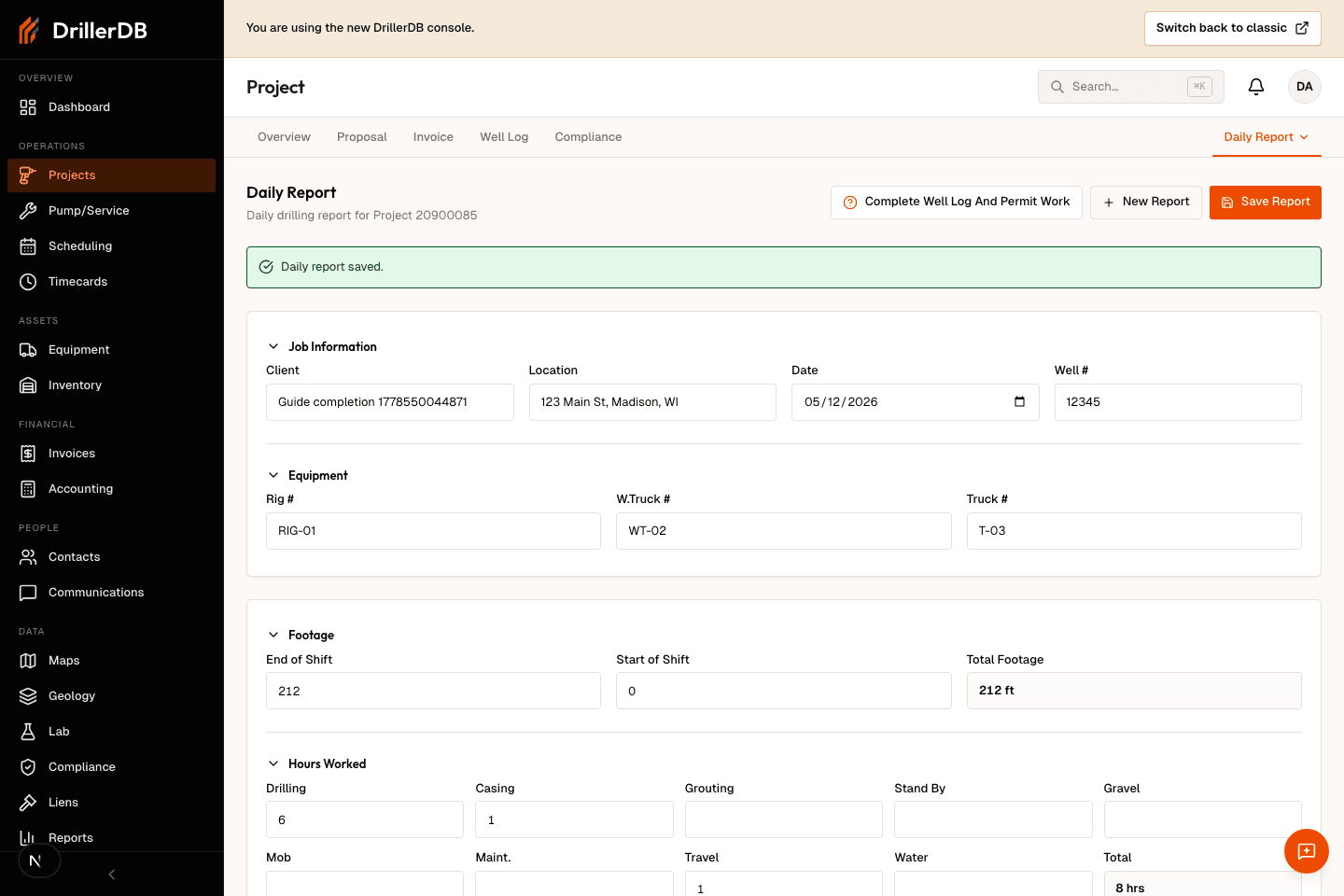
The Daily Report tab is turned on for some companies only. If your project page has it under More, open More > Daily Report. Customer, location, and date fill in from the project. Enter the footage for the shift (Start of Shift, End of Shift), sign the report (Driller, Approved By), then click Save Report. DrillerDB stores the report against the project so the office has a field-work record before compliance paperwork starts. If there is no Daily Report under More, go on to the next step.
Complete the well log
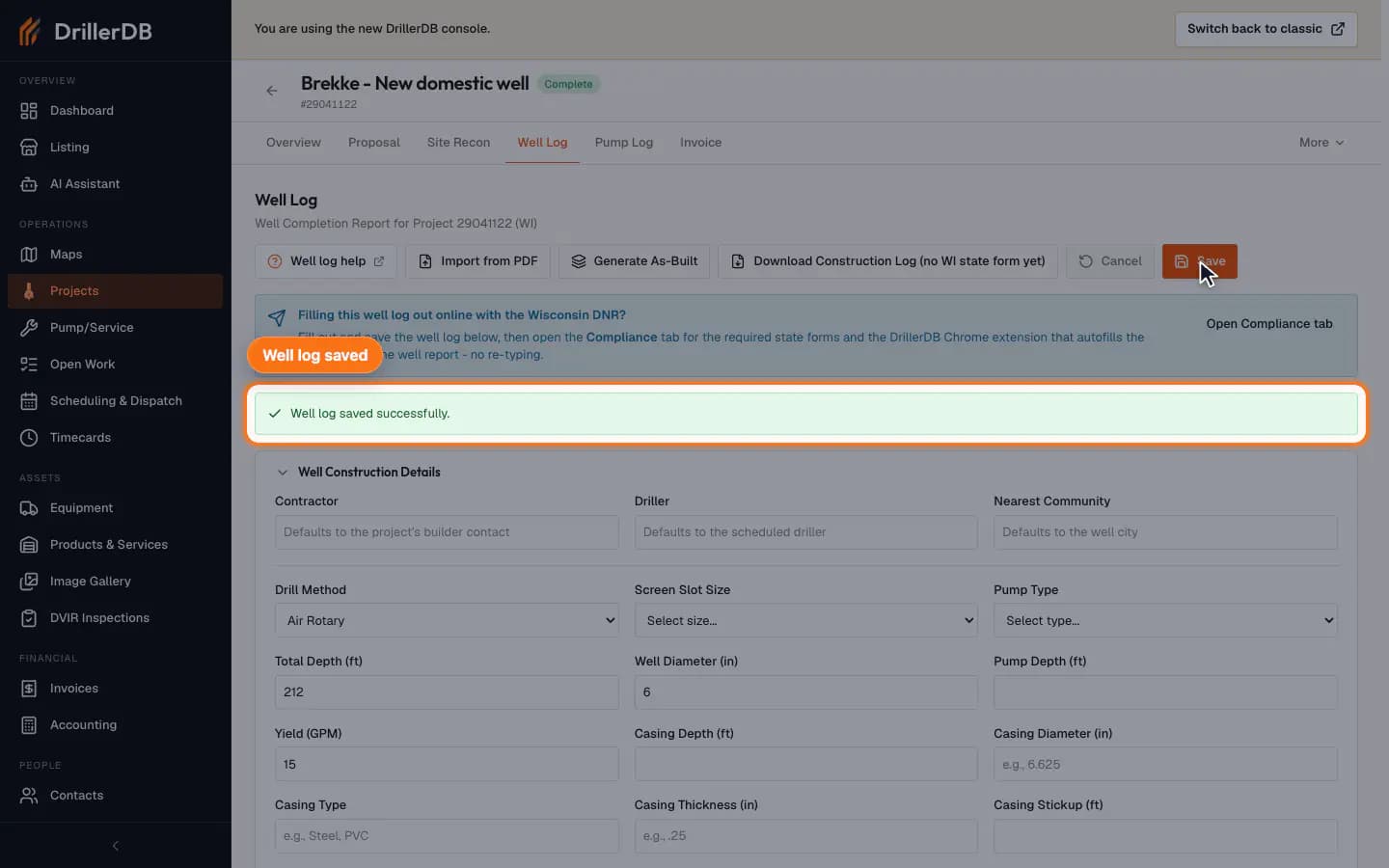
Open the Well Log tab and enter the final construction details: drilling method, total depth, diameter, yield, and geology rows. Save the well log so permit and billing work can reference the completed drilling record instead of relying on memory or a separate note.
Add at least one geology row before saving when the permit or state report needs formation detail.
Open the after-completion form
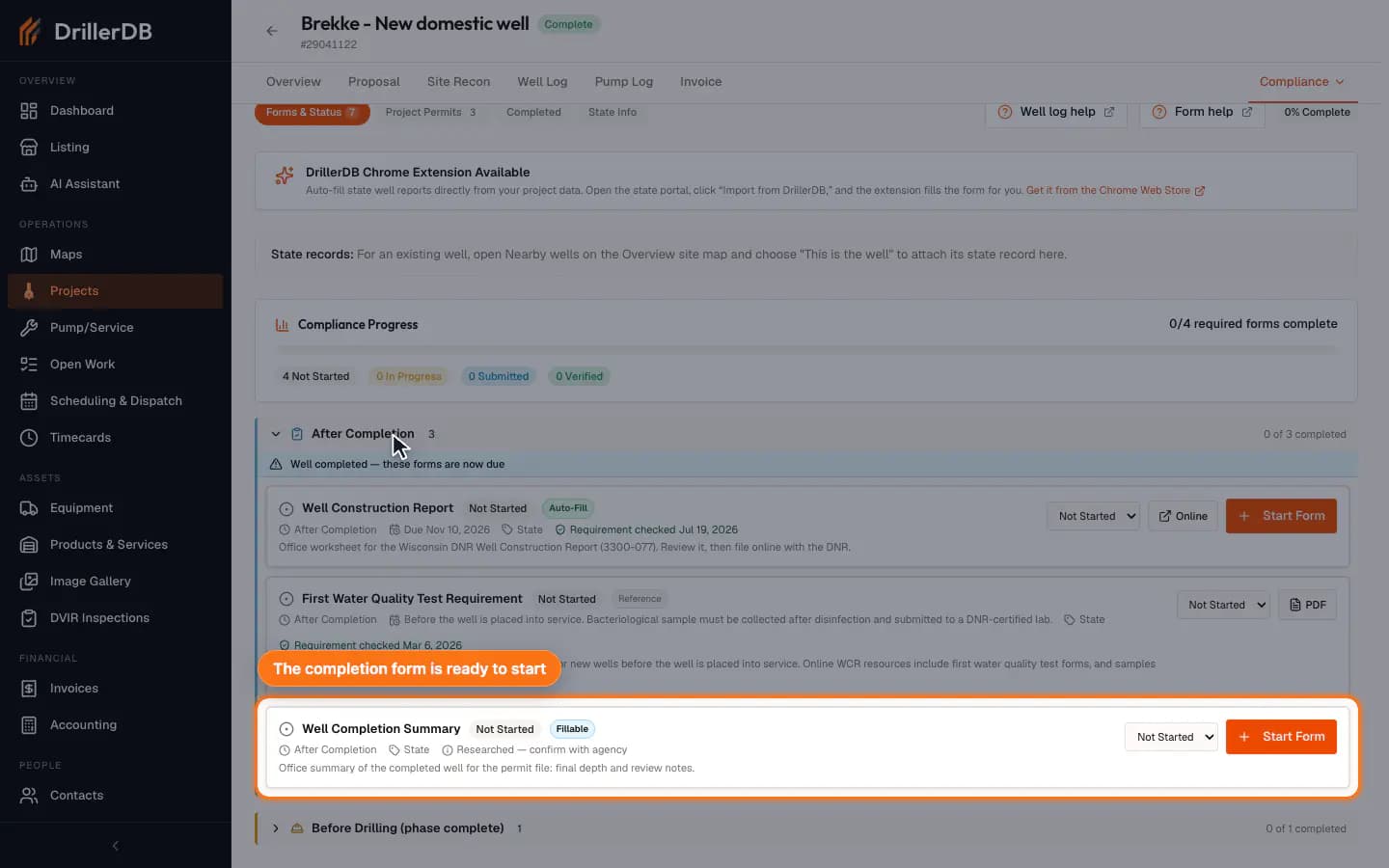
Open More > Compliance. On Forms & Status, find the After Completion group. Once the well has a completion date, the group is listed first and already open, with the banner "Well completed - these forms are now due"; click it to expand it if it is closed. DrillerDB groups required forms by when they are needed, so completion paperwork stays separate from pre-drilling permits and general project compliance.
Fill and save the compliance form
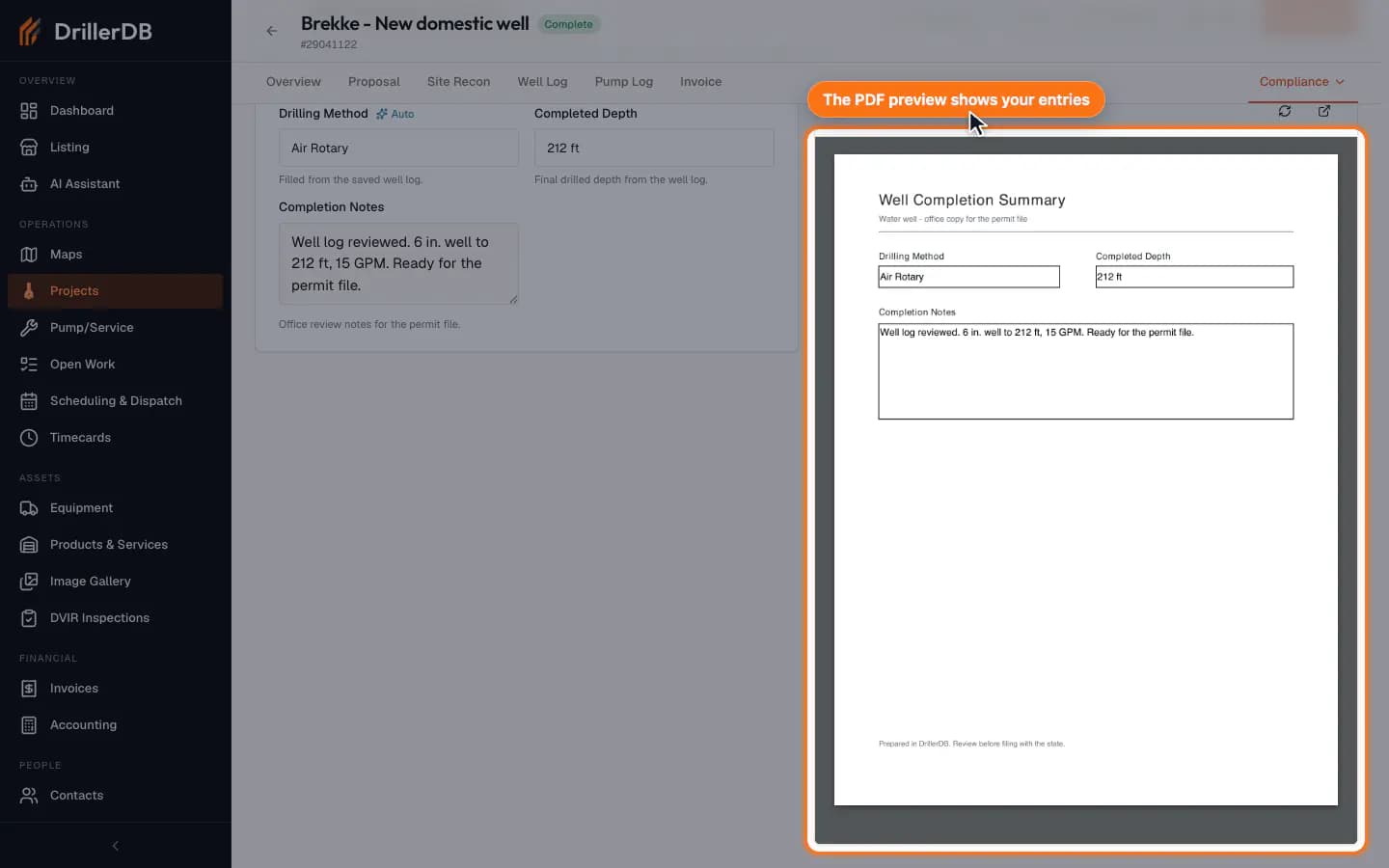
Click Start Form. Check the fields that filled in from the well log (marked Auto), complete the rest, such as the completed depth and office notes, then click Save. The form stays a draft that you can edit, and the Live PDF Preview shows your entries.
Finalize and download the local PDF
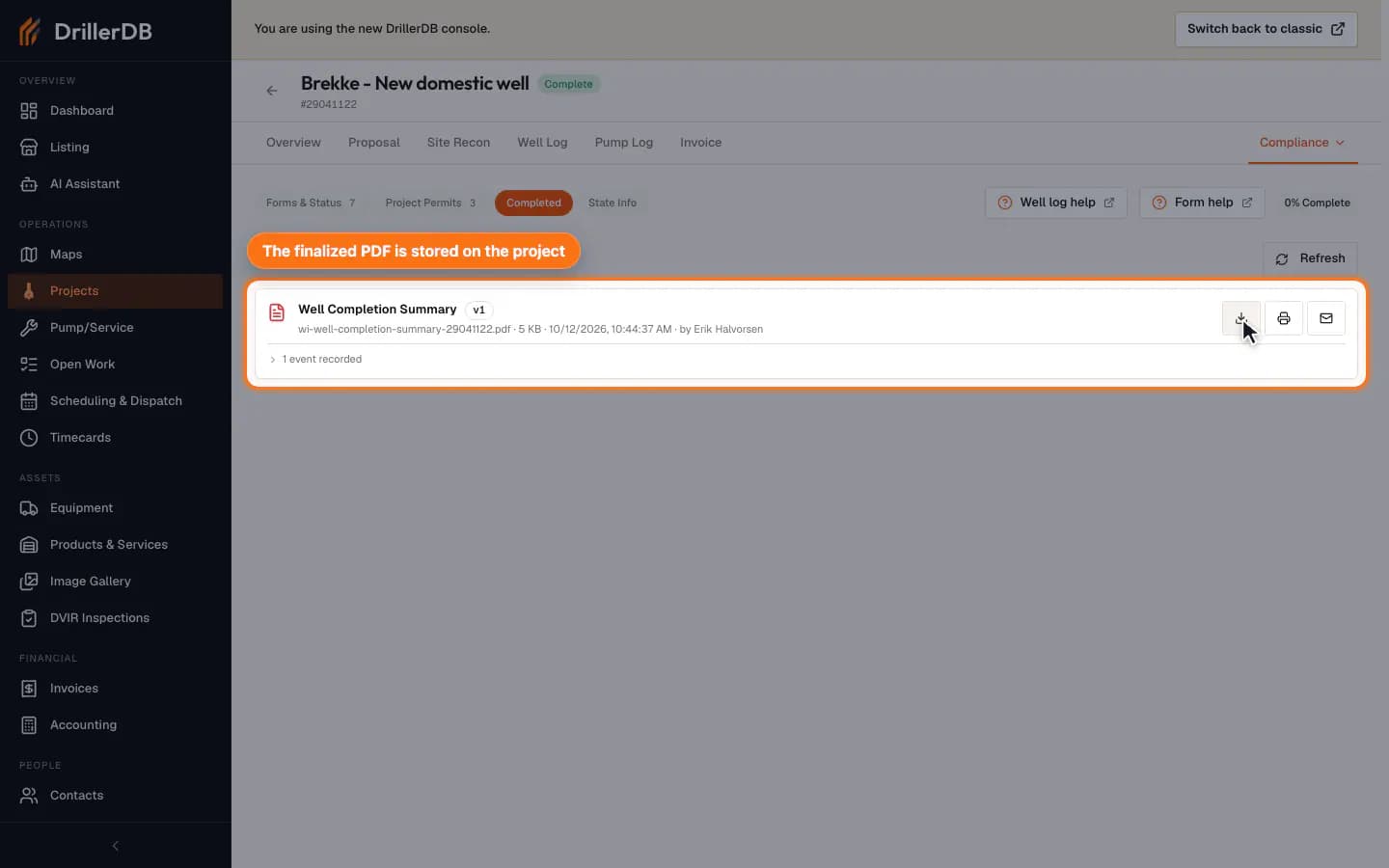
Click Finalize, then Confirm Finalize. The editor has no download button: go back to the Compliance tab, open Completed, and click the download icon on the form's PDF. Finalization locks the local compliance instance and DrillerDB records a PDF artifact for the project; it does not email the form or submit it to an agency.
Submit or email permit paperwork only after the office has reviewed the form, recipient, and state-specific filing requirements.
Submission boundary
This guide records the safe local paperwork flow: field report, well log, after-completion compliance form, local finalization, and PDF artifact creation. It does not email the form, send a customer message, or submit to a state portal.
After the permit paperwork is reviewed, continue into invoice creation so billing is based on completed field data instead of an estimate.