
Equipment Management
Manage your drilling fleet with complete equipment tracking, maintenance scheduling, and cost analysis.
Quick Start: Run Daily Equipment Workflow
- Open Equipment from the sidebar
- Review overdue maintenance and inspection items
- Open today's assigned equipment and verify readiness
- Log any service work completed today
- Confirm DVIR completion for road-going units
Dashboard Overview
The equipment dashboard shows:
- Total equipment count
- Available equipment
- Overdue maintenance items
- Average utilization rate
Key Features
- Equipment inventory management
- Service log tracking
- Maintenance scheduling
- DVIR (Daily Vehicle Inspection Reports)
- Cost tracking and analytics
- GPS device integration
- QR code generation
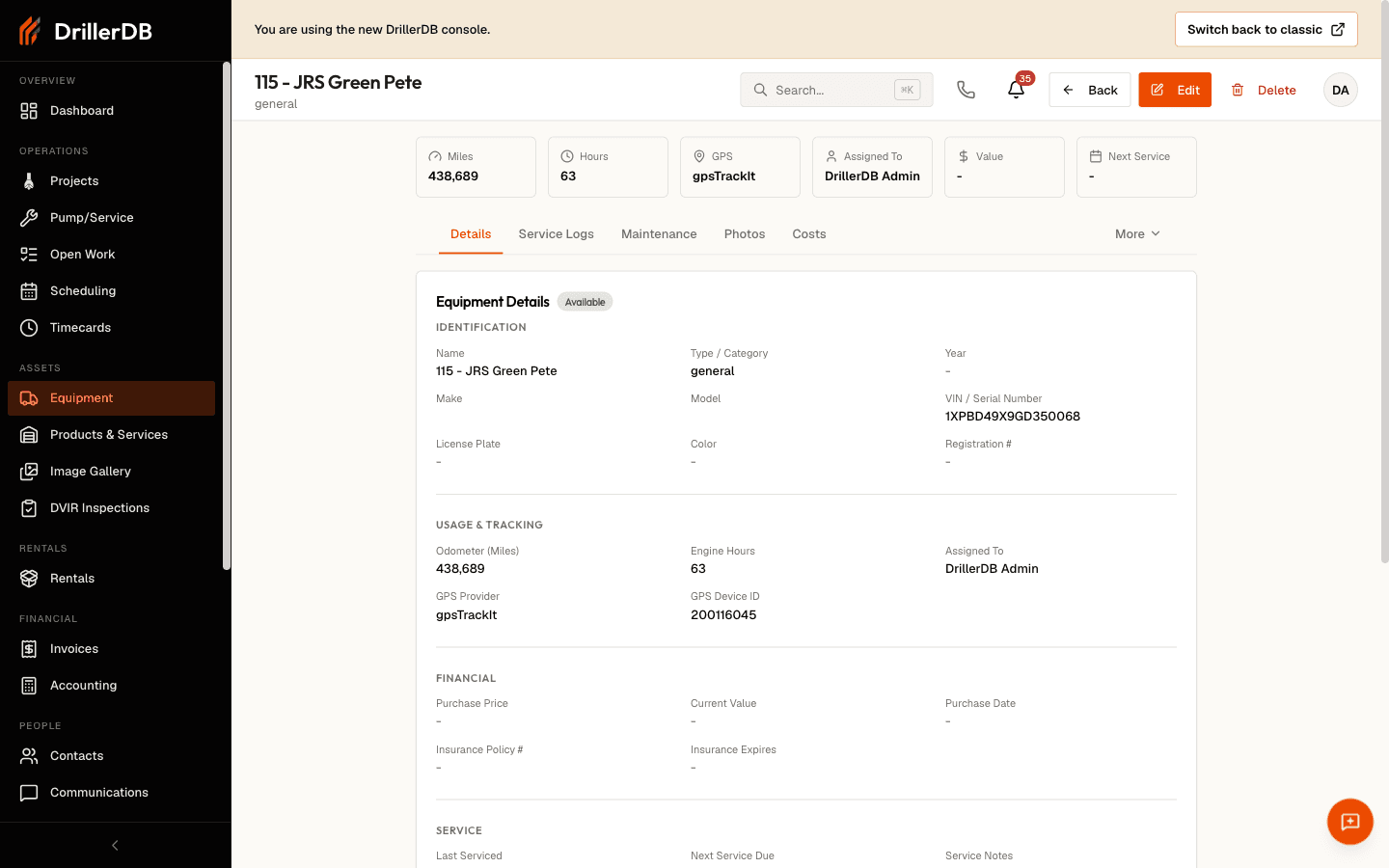
Step-by-Step: Add and Assign Equipment
- Create the equipment record in Equipment List
- Set category, status, and identifying details
- Add maintenance schedule intervals
- Link the equipment to a project or work order
- Confirm assignment visibility in operations views
Step-by-Step: Close Out End-of-Day Equipment Updates
- Open Service Logs
- Record repairs, inspections, and parts used
- Update equipment status if availability changed
- Review Overdue Maintenance for tomorrow's planning
- Export or review analytics for management follow-up
Topics in This Section
Explore these topics to learn how to manage your drilling fleet effectively:
Getting Started
- Equipment List - View and filter your equipment inventory
- Adding Equipment - Create new equipment records with required fields
Maintenance Management
- Service Logs - Record maintenance and repair activities
- Maintenance Schedules - Configure scheduled maintenance intervals
- Overdue Maintenance - Track and manage past-due service items
- DVIR Reports - Daily Vehicle Inspection Reports for DOT compliance
Analytics and Operations
- Costs & Analytics - Track equipment costs and analyze fleet performance
- Equipment Assignment - Assign equipment to employees and track assignment history
- GPS Tracking - Real-time location tracking with Motive and GPS Trackit
Quick Links
For Daily Operations:
- Check equipment availability for project scheduling
- Log completed maintenance and repairs
- Review overdue maintenance items
- Complete DVIR inspections before vehicle operation
For Management:
- Analyze equipment costs and utilization rates
- Plan maintenance schedules and replacement decisions
- Review GPS tracking data for fleet optimization
- Generate reports for budgeting and compliance
Related Topics
- Scheduling - Assign equipment to daily plans
- Field Operations - Capture usage and inspection context
- Reports - Analyze equipment performance metrics