
Overdue Maintenance
Equipment with overdue maintenance poses safety risks, may void warranties, and faces higher breakdown rates. DrillerDB tracks maintenance schedules per piece of equipment so past-due tasks are easy to spot and clear.
Quick Start: Clear an Overdue Task
- Go to Equipment in the sidebar and open the equipment
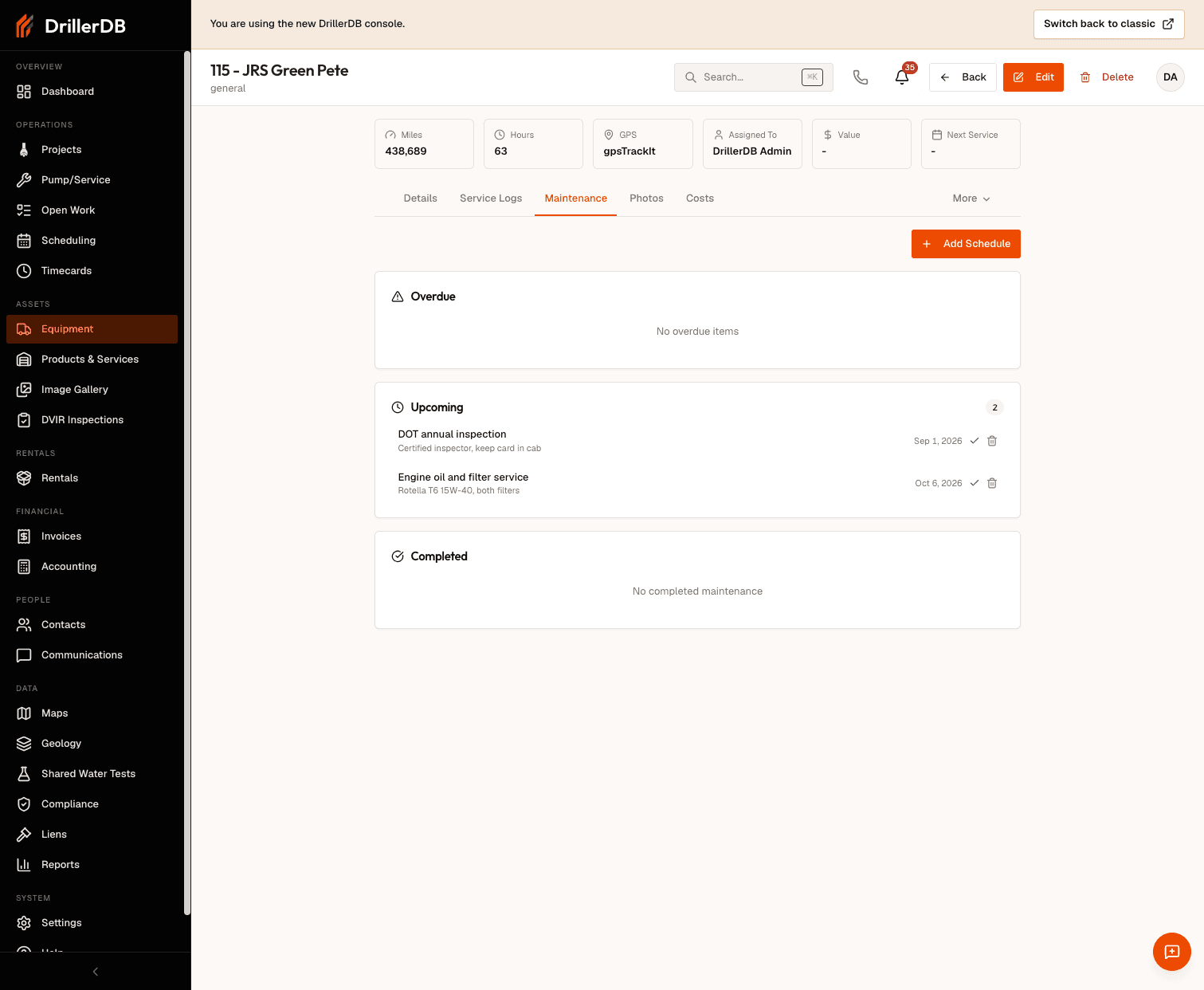
- Open the Maintenance tab
- Find the task whose due date has passed
- Perform the work, then record it as a Service Log entry
- Update the schedule's next due date so tracking stays current
How Overdue Is Determined
Each maintenance schedule has a Task Name, a Due Date, and an optional recurrence Interval in days, miles, or hours. A task is overdue once its due date has passed, or once usage has run past a meter-based interval.
Keep meter readings current
For interval-based maintenance in miles or hours, out-of-date readings hide overdue work. Record odometer and engine hours whenever you add a service log.
Prioritizing Overdue Work
Not every overdue task carries the same urgency. A practical triage order:
| Situation | Priority | Action |
|---|---|---|
| Safety item overdue (brakes, structural) | Immediate | Take the unit out of service |
| Warranty-required service at risk | Urgent | Schedule within days |
| Regulatory requirement (DOT, certifications) | Urgent | Complete before the deadline |
| High-use or project-critical equipment | High | Plan for the next available slot |
| Minor item slightly overdue | Normal | Fold into the next service cycle |
Taking Equipment Out of Service
If a unit should not be used until service is done:
- Open the equipment and click Edit
- Change Status to In shop
- Save — the status is visible across the fleet list, and you can open the In shop tab on the Equipment list to see every unit in that status
Clearing the Backlog
- Record completed work as Service Logs entries (type, date, cost, odometer, engine hours) so the history is auditable
- Update or delete schedules that no longer reflect how you actually service the unit — an overdue list full of stale tasks hides the real problems
- Review the Maintenance tab of high-use units on a regular cadence (weekly works for most fleets)
Related Topics
- Maintenance Schedules - Configure tasks, due dates, and intervals
- Service Logs - Record completed work
- Equipment List - Fleet view and status filters
- DVIR Reports - Daily inspections