
Service Logs
Service logs give each piece of equipment a running maintenance history. This record is valuable for warranty claims, resale value, and spotting recurring issues that need attention.
Quick Start: Add a Service Log
- Open the equipment record
- Open the Service Logs tab
- Click Add Log
- Pick a Type and a Date
- Optionally add notes, cost, and meter readings
- Save
Where to Log Service
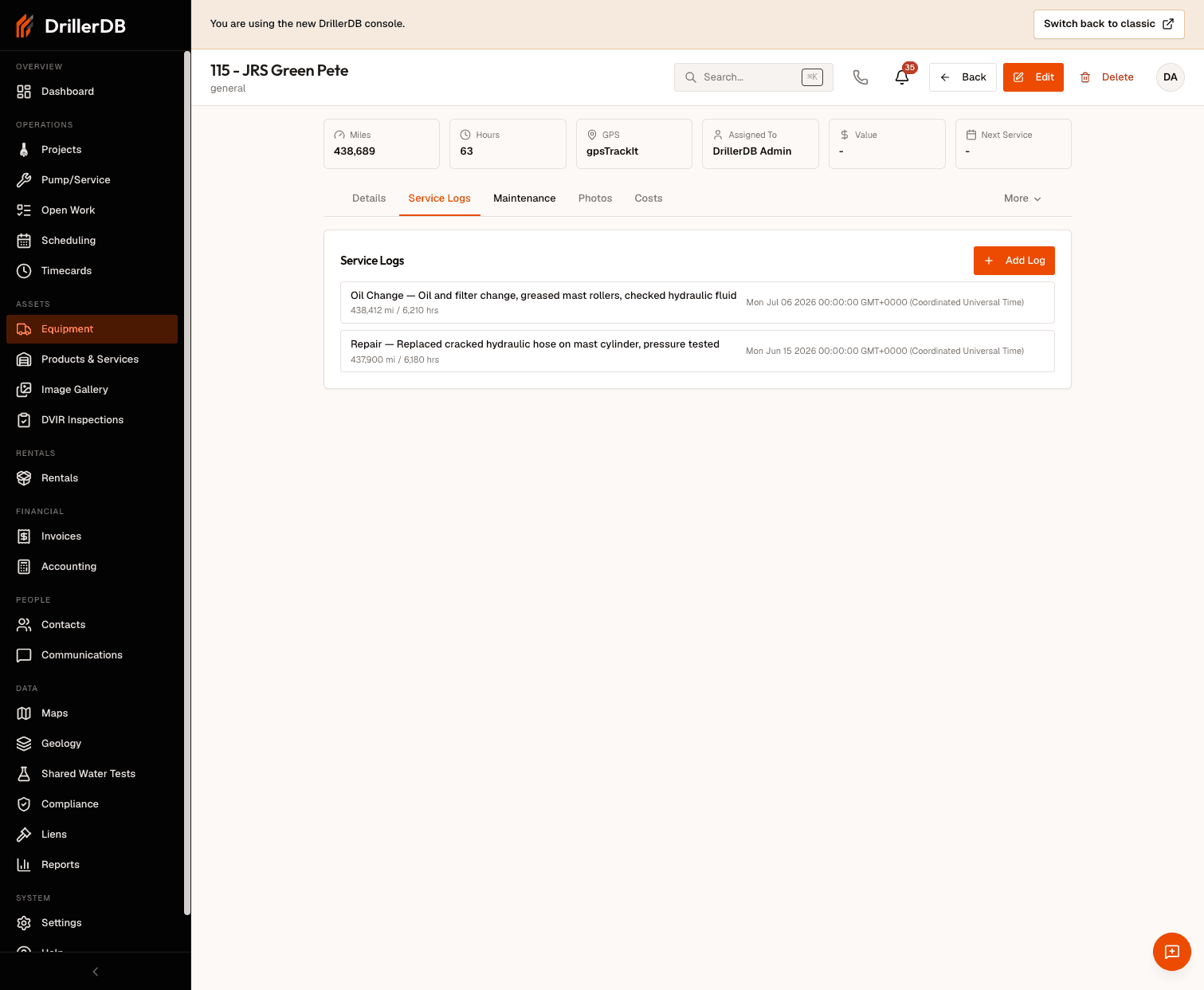
Service logs live on the equipment record's Service Logs tab. Open an item from the Equipment list, switch to that tab, and click Add Log.
Service Entry Fields
The Add Log form has these fields:
| Field | Required | Purpose |
|---|---|---|
| Type | Yes | Category of work (dropdown) |
| Date | Yes | When the work was performed |
| Notes | No | What was done, parts replaced, issues found |
| Cost | No | Total cost of the service |
| Odometer (Miles) | No | Mileage at the time of service |
| Engine Hours | No | Engine hours at the time of service |
Cost is a single total field - there is no separate labor/parts split. Put a breakdown in Notes if you want to record it.
Service Types
The Type dropdown offers:
| Type | Use For |
|---|---|
| Oil Change | Routine oil service |
| Tire Rotation | Tire rotation |
| Brake Service | Brake work |
| Transmission | Transmission service |
| Filter Change | Filter replacements |
| Fluid Top-Off | Topping off fluids |
| Inspection | Condition and safety checks |
| Repair | Fixing a breakdown or fault |
| Other | Anything that does not fit above |
The more detail you put in Notes, the more useful the history becomes for troubleshooting and planning.
Service History
Every entry you add appears on the Service Logs tab in date order, giving you a full maintenance history for the item. Use it to review patterns, spot recurring problems, and total up service cost over time.
Recording Meter Readings
For usage-based equipment, capture Odometer (Miles) or Engine Hours with each log so the running history reflects real usage at each service.
Relationship to Maintenance Schedules
Service logs and maintenance schedules are tracked separately. Logging service does not automatically close a schedule - when a scheduled task is done, mark it complete on the Maintenance tab (or update its due date). Keeping both current gives you an accurate history plus an accurate upcoming-service view.
Troubleshooting
Service log not saving?
- Make sure Type and Date are both set
- Check that the date is valid and meter fields are numeric
Can't find an old entry?
- Scroll the Service Logs tab; entries are listed in date order
Need a document attached?
- The service-log form does not take file uploads; add photos and documents (invoices, receipts) on the record's Photos tab
Related Topics
- Maintenance Schedules - Recurring service reminders
- Overdue Maintenance - Track past-due items
- Costs & Analytics - Cost analysis
- Equipment List - View all equipment