Chat with us, powered by LiveChat

Costs & Analytics

Track equipment costs and analyze fleet performance metrics

Costs & Analytics

Understanding the true cost of operating each piece of equipment helps you make informed decisions about maintenance, replacement, and fleet composition. DrillerDB tracks all equipment-related expenses and provides analytics to identify trends and opportunities for improvement.

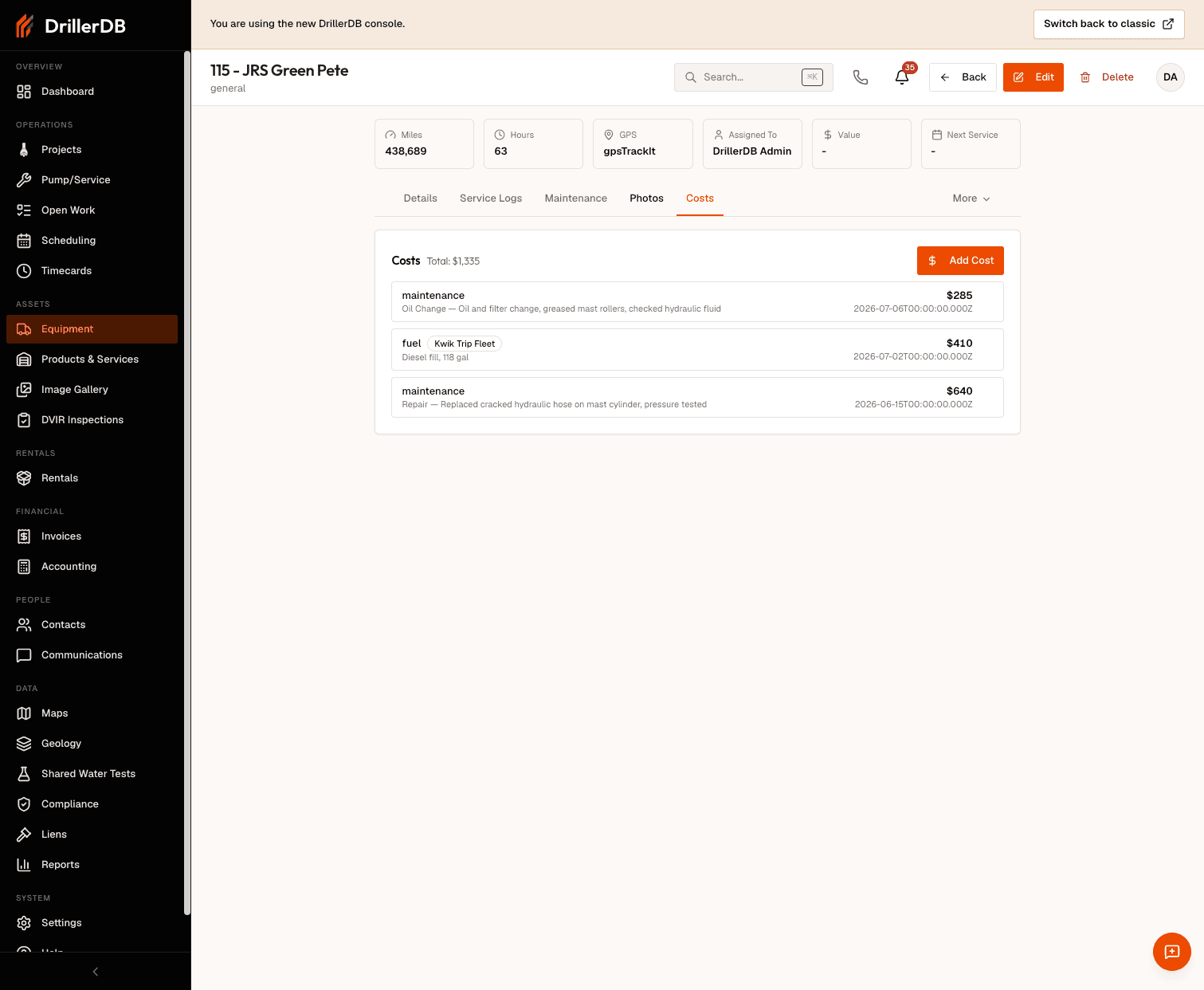
Cost Tracking

Equipment costs are captured from multiple sources:

Maintenance and Repairs: All service log entries include labor and parts costs. These expenses accumulate in the equipment's cost history, providing a complete picture of maintenance spending.

Fuel Costs: When integrated with fuel tracking systems or manually entered, fuel expenses are allocated to specific equipment based on usage.

Operating Costs: Additional expenses like insurance, registration, permits, and storage fees are recorded against equipment to capture total ownership costs.

Depreciation: Purchase price and acquisition date allow calculation of depreciation using various methods (straight-line, declining balance, or usage-based).

Cost per Hour/Mile

One of the most valuable metrics for equipment management is the cost per usage unit. DrillerDB calculates:

Cost per Hour: Total costs divided by equipment hours. This metric helps you compare equipment efficiency and determine appropriate rental or customer billing rates.

Cost per Mile: For vehicles, total costs divided by miles driven. This reveals whether a vehicle is economical to operate or should be replaced.

These calculations include all maintenance, fuel, and operating costs, providing a true picture of equipment economics rather than just purchase price or payment amounts.

View cost data over time to identify patterns:

Monthly Costs: See how equipment expenses vary throughout the year. Seasonal patterns may indicate opportunities to adjust maintenance schedules or operating practices.

Cumulative Costs: Track total lifetime costs as equipment ages. This helps determine when rising maintenance costs justify replacement with newer equipment.

Cost by Type: Compare maintenance costs across different categories (routine maintenance, repairs, inspections). Excessive repair costs relative to preventive maintenance may indicate neglected equipment.

Analytics Dashboard

The equipment analytics dashboard provides insights into fleet performance:

Utilization Rates: Percentage of time equipment is actively in use versus sitting idle. Low utilization indicates opportunities to reduce fleet size or rent out underused equipment.

Reliability Metrics: Track mean time between failures and breakdown frequency. Declining reliability indicates equipment approaching end of useful life.

Maintenance Efficiency: Compare planned versus unplanned maintenance costs. Higher preventive maintenance spending typically results in lower total costs through avoided breakdowns.

Fleet Age: Average age of equipment by category. Aging fleets may face increasing maintenance costs and reliability issues.

Comparative Analysis

Compare equipment performance across your fleet:

Similar Equipment: Compare costs and utilization between similar pieces of equipment. Significant differences may indicate operator training needs, mechanical problems, or opportunities to standardize on better-performing models.

Industry Benchmarks: When available, see how your costs compare to industry averages. This context helps determine whether your maintenance program is efficient or needs improvement.

Replacement Analysis

Cost data helps determine optimal replacement timing:

Rising Costs: When annual maintenance costs exceed a threshold (often 50-75% of replacement cost), it may be time to replace equipment.

Opportunity Costs: Frequent breakdowns and downtime create hidden costs beyond repair expenses. Factor in lost productivity when evaluating replacement decisions.

Resale Value: Equipment retains more value when replaced proactively rather than after major failures. Consider resale value in replacement timing decisions.

Budget Planning

Historical cost data enables accurate budget forecasting:

  • Project annual maintenance spending by equipment type
  • Identify large upcoming expenses (major overhauls, replacements)
  • Allocate costs to specific projects or customers
  • Justify capital equipment requests with data

Exporting Reports

Generate comprehensive cost reports for:

  • Management review and decision-making
  • Tax preparation and depreciation schedules
  • Project cost allocation
  • Customer billing and rate justification
  • Equipment financing or insurance applications

Cost reports can be filtered by date range, equipment type, or specific pieces of equipment to provide exactly the information needed.