
Products & Services
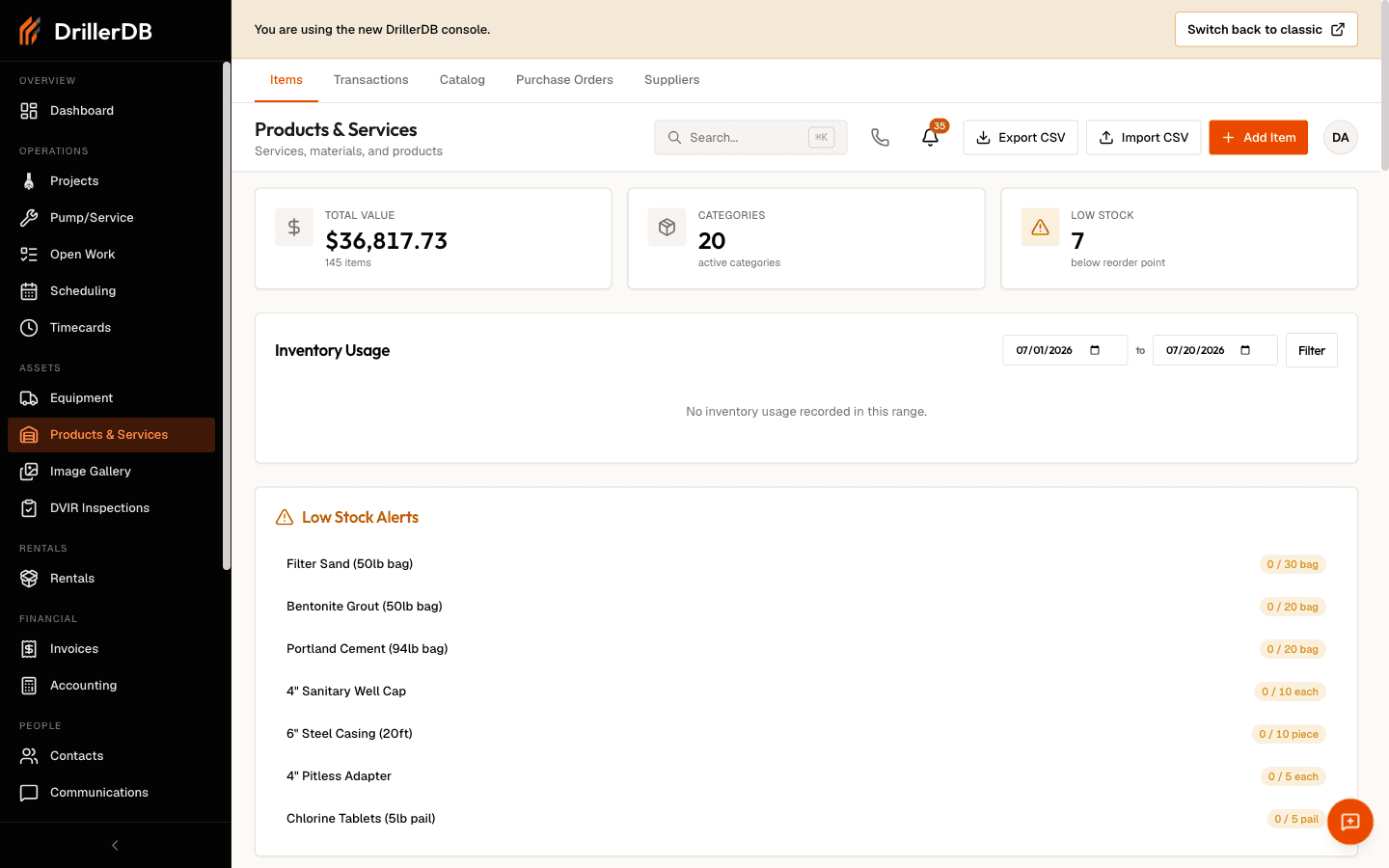
Build a catalog of the materials, services, and products your company sells and consumes, then track stock levels, usage, and purchase orders from one place. Select Products & Services in the sidebar to open the catalog.
Quick Start
- Open Products & Services from the sidebar
- Click Add Item and choose an item type (material, service, or non-inventory)
- Enter a name, and add pricing, unit, and reorder point as needed
- Record usage on projects and work orders
- Review value, low-stock alerts, and usage on the list, and export CSV for deeper analysis
Item Types
Every catalog item is one of three types. The type controls whether the item tracks a running quantity.
| Type | Tracks stock? | Best for |
|---|---|---|
| Material | Yes | Physical goods you hold and consume (casing, grout, fittings) |
| Service | No | Labor and services you bill (drilling, pump install, testing) |
| Non-inventory | No | Goods you sell or use without holding stock |
Materials show quantity, reorder point, and stock status. Services and non-inventory items are stockless: they carry pricing and tax settings but no on-hand quantity.
Sections
The Products & Services module is organized into tabs across the top.
| Tab | Purpose |
|---|---|
| Items | Your catalog: add, edit, adjust stock, import/export |
| Transactions | Every stock change and material usage, filterable and exportable |
| Catalog | Browse connected suppliers' products and add them to a purchase order |
| Purchase Orders | Build and finalize purchase order drafts |
| Suppliers | Connected vendors and their shared catalogs |
Topics in This Section
- Managing Items - Search, filter, edit, and organize your catalog
- Adding Items - Create materials, services, and products
- Stock Level Tracking - Reorder points, stock status, and negative-stock cleanup
- Transactions - Recording usage, adjustments, and movements
- Reporting & Exports - Value, usage, low-stock, and CSV exports
- Purchase Orders - Build orders, browse supplier catalogs, and receive stock
Getting Started
Start by adding a few items. A material item can carry an initial quantity and a reorder point so the list warns you before you run out; a service or non-inventory item just needs a name and a price. Each item can also hold a SKU, category, unit, tax settings, and an income account for accounting.
As crews use materials on projects and work orders, the system records usage transactions automatically and decrements material stock. Reviewing the Transactions tab and the usage chart on the Items list helps you spot trends, tune reorder points, and plan purchasing.
Step-by-Step: Weekly Reconciliation
- Open the Products & Services list and check the Low Stock alerts
- Review recent usage on the Transactions tab
- Compare expected versus on-hand quantities for key materials
- Record stock adjustments with a reason for any variance
- Build purchase orders for the items you need to reorder
Related Topics
- Projects - Apply material usage to project costs
- Pump & Service Work Orders - Track service parts consumption
- Reports - Export cost and usage trends