
Pump & Service Work Orders
Pump & Service Work Orders is a newer feature that continues to evolve. If you encounter any issues or have feature requests, please contact support.
Note: Pump & Service work orders are available in DrillerDB. SWD Database users may not have access to this feature.
Pump/Service jobs track pump repairs, service calls, and other non-drilling work from the first customer call through quote, field work, completion, and billing. Open them from Pump/Service in the sidebar.
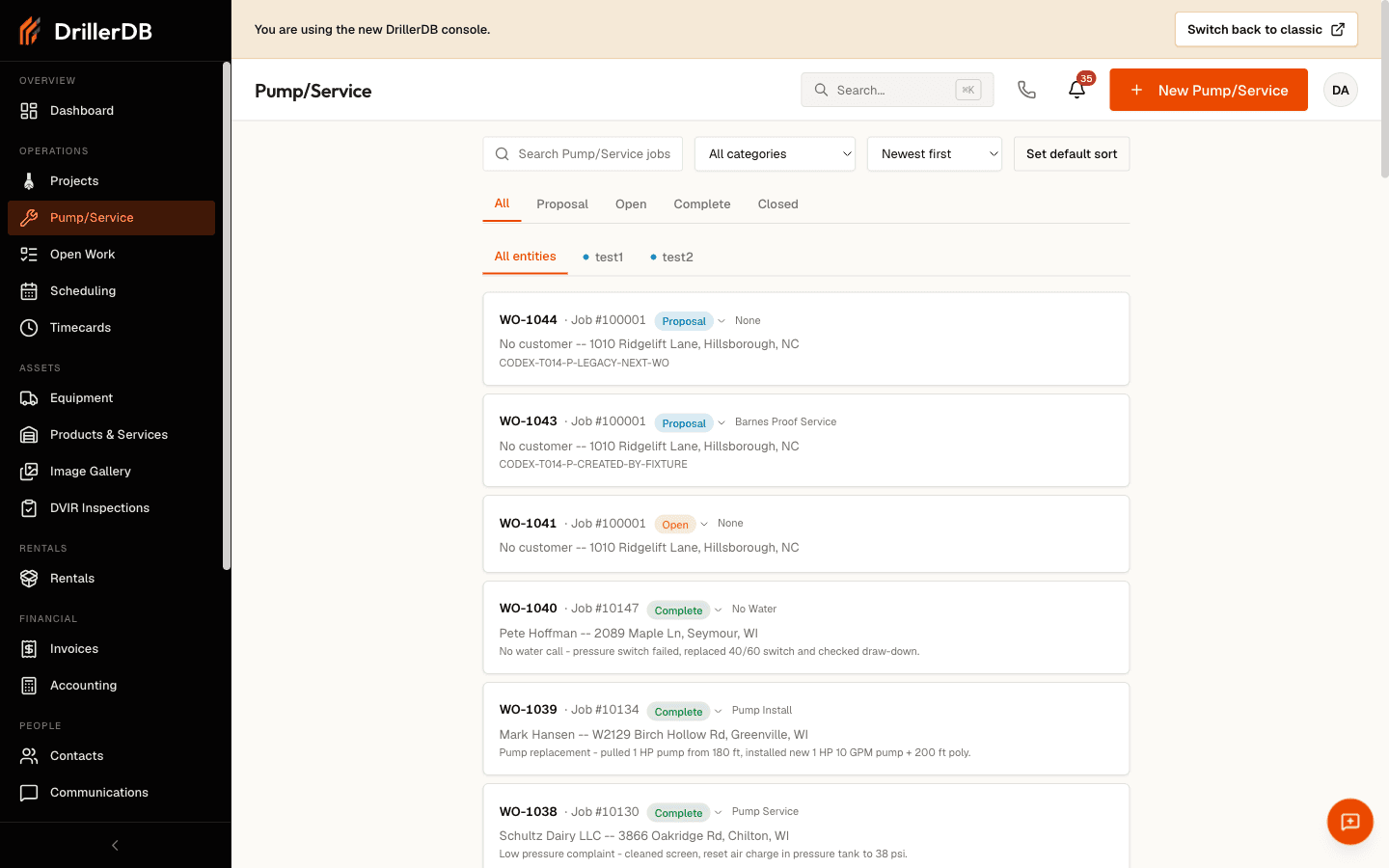
Overview
Pump/Service jobs are service records, not drilling project records. They are designed for:
- Pump repairs and maintenance
- Well inspections
- Service calls
- Equipment installations
When a service call belongs to an existing well or project, link the job to it so service history stays connected. Standalone jobs work fine on their own.
Status Lifecycle
Every job moves through four stages: Proposal → Open Job → Complete → Closed. Proposal is for quoting and prep, Open Job is active field work, Complete is finished work ready to bill, and Closed archives the job. You can move a job backward when needed; those moves are confirmed and logged.
The Workspace
Each job opens into a tabbed workspace:
- Details - service info, customer, location, and contacts
- Proposal & Items - the quote and service line items
- Invoices - billing for the job
- Pump - pump installation data and pump-log reports
- Inventory - parts pulled for the job
- Contacts - owner, builder, and pump installer
- Files, Notes, and History
Recommended Service Job Path
- Create a Pump/Service Job from the customer or Pump/Service entry point.
- Run a Pump/Service Job to update details, move status, add service items, and mark the job complete.
- Quote Service Work when the customer needs pricing before the work is delivered.
- Bill the job once it is complete.
Use send, dispatch, invoice, and customer delivery controls only after the office has reviewed the customer, recipients, price, service notes, and billing terms.
Topics in This Section
Create a Pump/Service Job
Start a customer-linked pump or service job, choose the service category, enter the work-requested note, and open the workspace.
Run a Pump/Service Job
Move a job through details, status, service items, and completion once it exists.
Quote Service Work
Create and save quote lines while keeping them attached to the job and its linked project.
Work Order Details
Navigate the workspace: the status lifecycle, the header actions, and every tab.
Assigning & Scheduling Service Work
Assign a field tech, notify them with a dispatch, schedule the job, and add it to today's route.
Pump Logs
Record pump installation data on the Pump tab and review submitted pump-log reports.
Work Order Billing
Turn a completed job into a customer invoice, using the line items already recorded on the job.
Related Topics
- Customers - Contact and service history context
- Scheduling - Schedule and route planning
- Billing - Invoicing and payment workflows