
This guide is based on a browser-recorded walkthrough in the rebuilt DrillerDB console. When a step can send, submit, export, or change account access, the guide calls out the review boundary.
Pump/Service jobs are the entry point for non-drilling customer work: pump repairs, low-pressure calls, inspections, winterization, abandonment support, and miscellaneous service jobs. Start from a customer when you can, add a short dispatch note, and DrillerDB opens the full Pump/Service workspace with proposal, service items, pump log, inventory, contacts, billing, files, notes, and history tabs.
Quick Start
- Open New Work Order from Pump & Service or a customer record.
- Confirm the selected customer when starting from Contacts.
- Choose the pump/service category.
- Leave Parent Project # on auto-generate unless the service call belongs to a known project.
- Add the field tech and work requested note.
- Click Create Work Order to open the full work order workspace.
Step-by-Step: Create a Pump/Service Job
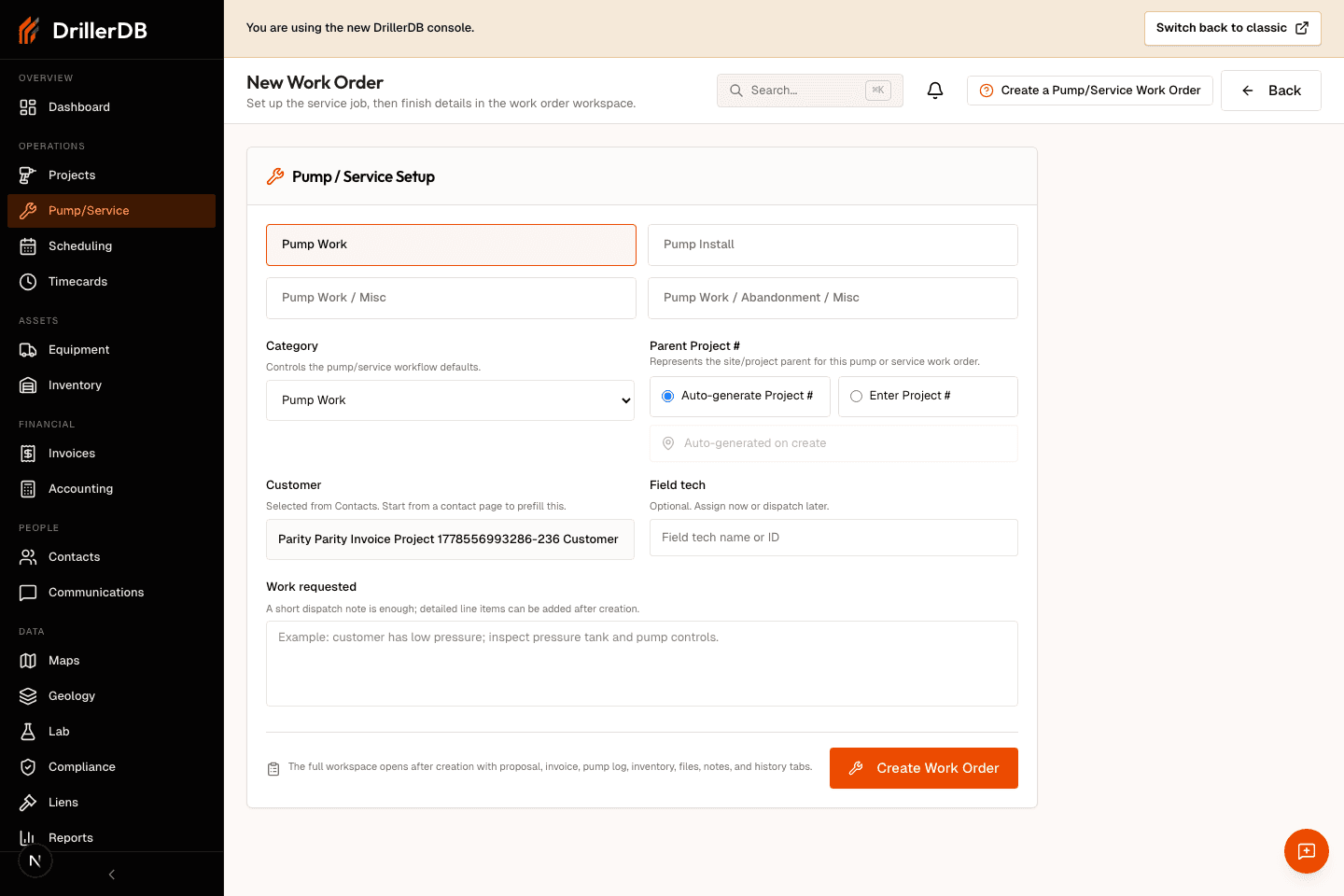
Start from the customer-linked Pump/Service form
Open New Pump/Service from Pump & Service or from a customer record. When the job starts from a customer, DrillerDB carries that customer into the setup form so the service job is tied to the right account before dispatch details are added.
Use the customer page entry point when possible. It prevents a service call from being created without customer context.
Choose the service category and write the request
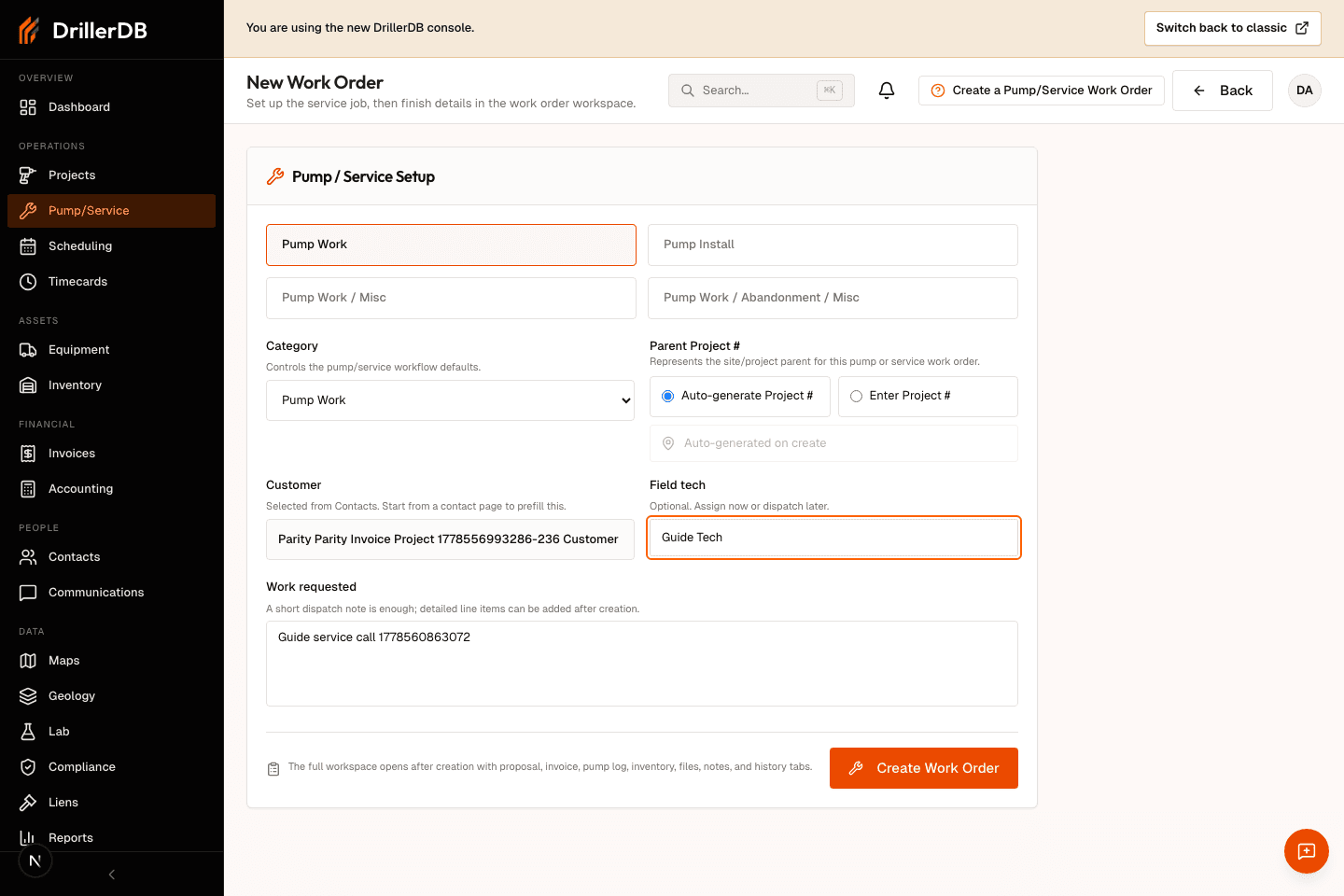
Pick the closest pump or service category, leave Parent Project # on auto-generate unless you already know the related project number, optionally assign a field tech, and write the short work requested note the dispatcher or technician needs.
A short note is enough at creation time. Detailed labor, parts, pump data, files, and billing can be added after the workspace opens.
Create the Pump/Service job and continue in the workspace
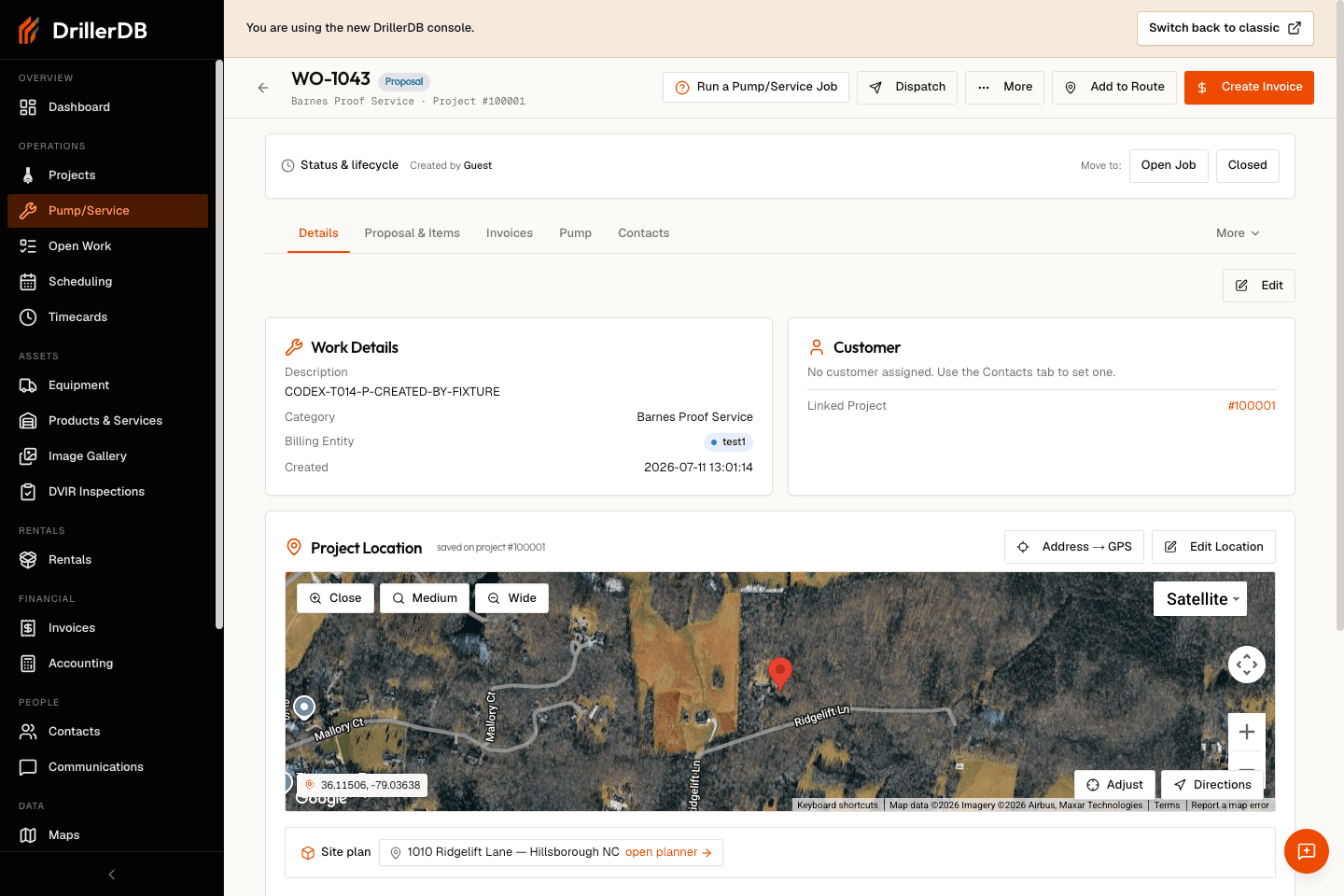
Click Create Pump/Service. DrillerDB creates the service job in Proposal status, assigns a service job number, and opens the Pump/Service workspace. From there you can quote the work, add service items, record pump data, attach files, update contacts, and handle billing.
Service workflow context
Pump and service work orders are service jobs, not drilling project records. When the service call belongs to an existing well or project, enter the Parent Project # so service history stays connected. When the call is standalone, let DrillerDB auto-generate the parent project context and continue from the work order workspace.
Continue the service path with Run a Pump/Service Work Order for status, service items, and completion, then use Quote Service Work when customer pricing needs to be saved before delivery.