
General Settings
The General Settings section allows you to configure your company's basic information and appearance throughout DrillerDB. These settings affect how your company is displayed to customers and team members.
Quick Start: Configure General Settings
- Go to Settings > Company Info
- Enter company name, contact email, address, and phone
- Set Default State so compliance forms and reports have a state to fall back on
- Upload your company logo
- Select timezone and date format
- Click Save
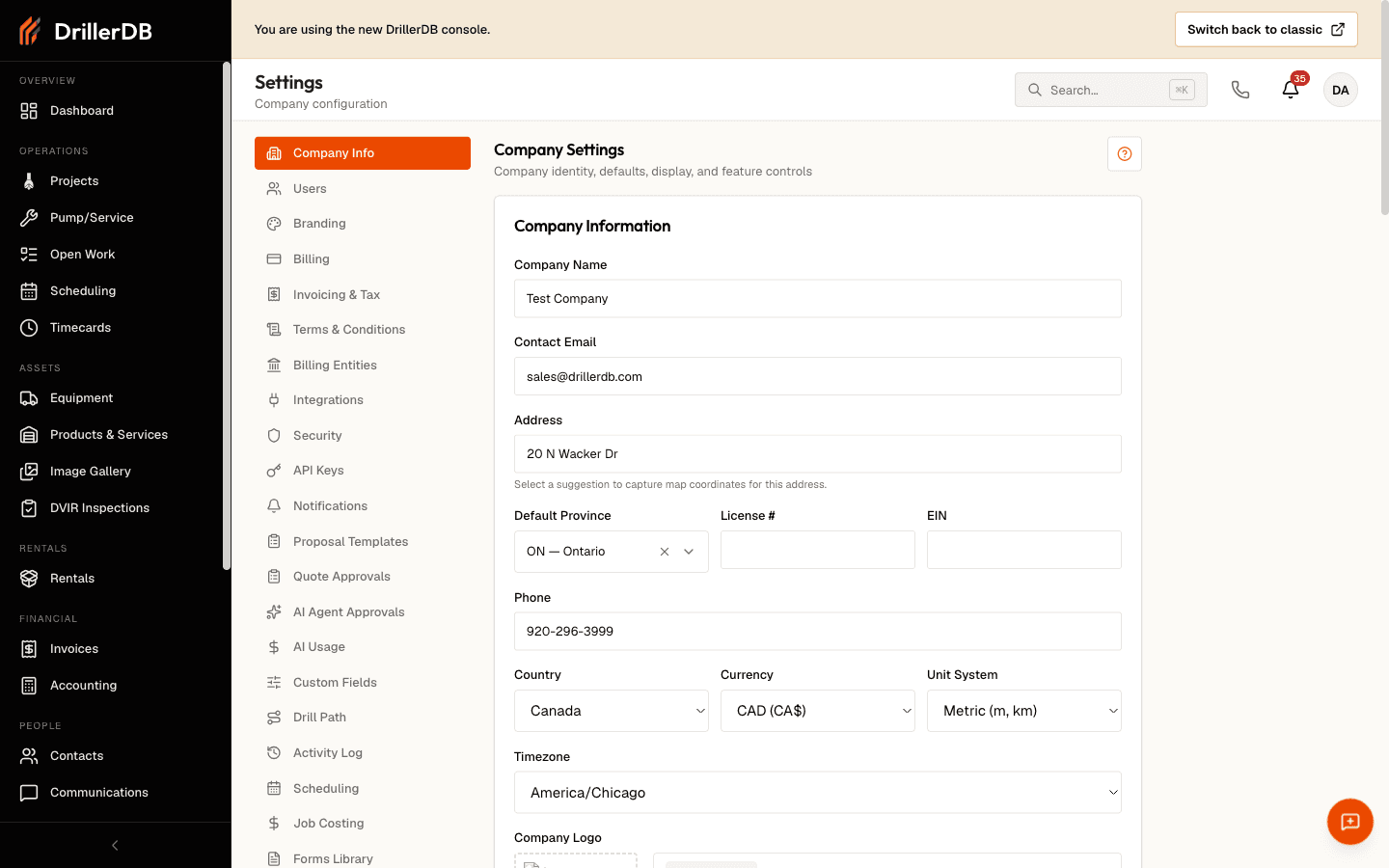
Company Information
Basic Details
Set up your core company information:
| Field | Purpose | Appears On |
|---|---|---|
| Company Name | Business name | Proposals, invoices, emails |
| Contact Email | Primary email | Notifications, communications |
| Address | Physical location | Proposals, invoices |
| Default State | The state you work in by default | Compliance forms, see below |
| License # | Your drilling license number | Compliance forms |
| EIN | Employer identification number | Invoices |
| Phone | Main contact number | Proposals, customer portal |
This information is automatically included in proposals, invoices, and customer-facing documents.
Keep your company information up to date. Changes here automatically update all future proposals and invoices.
Default State
Default State is the state your company works in. Pick it from the list in the
Company Information card. Each option shows the two-letter code and the full name, such as
VA - Virginia.
This field does more than fill in paperwork. A project's compliance forms are matched against the project's state, and when a project has no state of its own, DrillerDB falls back to your Default State. Without it, such a project shows no compliance forms at all.
If your project Compliance tabs are coming up empty, this is usually why. See No Compliance Forms Are Showing.
The fallback changes only what a project displays. It does not write a state onto the project record, so a project in a different state keeps showing your default until you set the state on the project itself. If you work in more than one state, set the state per project.
Your change takes effect the next time a page loads. You do not need to sign out and back in.
When Country is set to Canada, this field is labeled Default Province and lists provinces. It behaves the same way.
Company Logo
Upload your company logo to personalize your DrillerDB experience:
| Requirement | Specification |
|---|---|
| File formats | PNG, JPG, SVG |
| Recommended size | 300x100 pixels |
| Maximum file size | 2 MB |
| Background | Transparent preferred |
Step-by-Step: Upload Logo
- Click Upload Logo
- Select image file from computer
- Preview appears automatically
- Click Save to apply
Your logo appears in the navigation sidebar, on printed proposals, invoices, and in customer portal emails.
Regional Settings
Timezone
Select your local timezone for accurate scheduling and timestamps:
- Choose from standard US timezones
- Affects schedule displays and notification times
- Automatically adjusts for daylight saving time
- Timestamps in reports reflect your selected timezone
Date Format
Choose how dates are displayed throughout the application:
- MM/DD/YYYY - Standard US format (12/31/2025)
- DD/MM/YYYY - International format (31/12/2025)
- YYYY-MM-DD - ISO format (2025-12-31)
This preference applies to all date displays in projects, invoices, and reports.
Display Preferences
Currency Symbol
Set the currency symbol for financial displays:
- Default: USD ($)
- Appears on invoices, proposals, and reports
- Supports international currency symbols
Language
The interface language is English only.
Show the Needs a Date chip on Projects
The Display & Features card has a switch called Show the Needs a Date chip on Projects. Turn it on to add a Needs a Date pill to the Projects list. The pill filters to accepted jobs that are not on the calendar yet, and it shows the same jobs as the Needs a date queue on the Scheduling page. The switch is off until you turn it on, so the Projects list shows six status pills by default. If you open a link that already has the Needs a Date filter applied, the pill appears anyway so you can see what is filtering the list and clear it.
Subscription Information
View your current subscription details:
- Plan Type - Your active subscription tier
- Billing Cycle - Monthly or annual billing
- Next Billing Date - When your next payment is due
- Users - Number of active user licenses
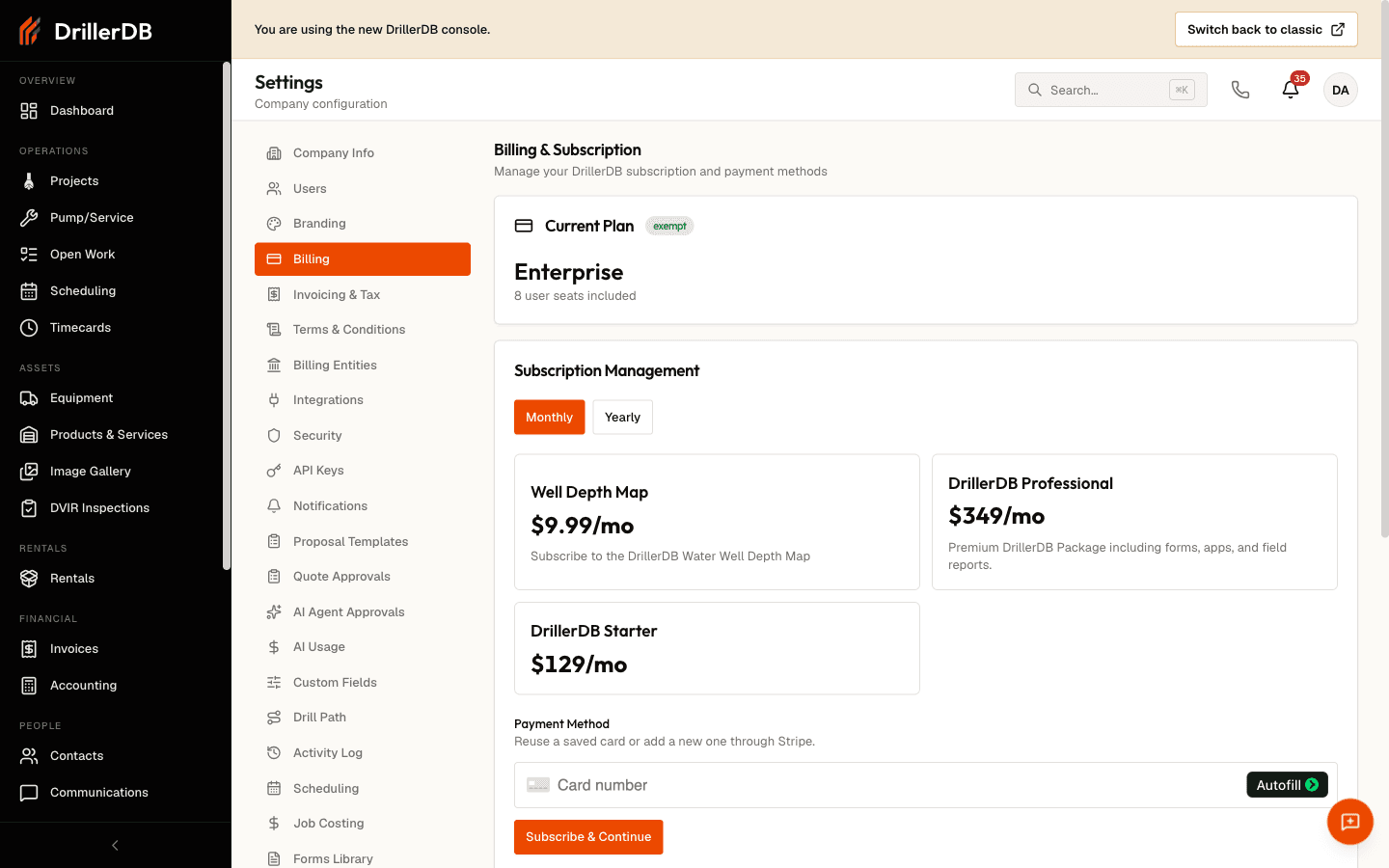
To upgrade or modify your subscription, contact support or use the billing portal link.
Saving Changes
Changes to General Settings take effect immediately after clicking Save. Some changes may require a page refresh to fully display.
Logo and company name changes may take a few minutes to appear in all locations due to caching. Refresh your browser if changes don't appear immediately.
Troubleshooting
Logo not displaying?
- Check file size (must be under 2 MB)
- Verify file format (PNG, JPG, SVG only)
- Try clearing browser cache
Timezone incorrect?
- Verify correct timezone selected
- Check device system time
- Refresh page after changing
Changes not saving?
- Check internet connection
- Verify you have Admin permissions
- Try refreshing and re-entering
Related Topics
- Billing Settings - Invoice configuration
- Project Settings - Project defaults
- Users & Access - Team management
- Integrations - Third-party connections