
This guide is based on a browser-recorded walkthrough in the rebuilt DrillerDB console. When a step can send, submit, export, or change account access, the guide calls out the review boundary.
The Pump/Service Proposal & Items tab is the fast quoting surface for pump and service work. It keeps the quote attached to the service job, stores the same line items used by Service Items, and handles customer delivery on the service job itself when it is time to email the customer. This guide records the safe drafting path: add a quote line, save it, confirm delivery controls are visible, and stop before sending anything externally.
Quick Start
- Open the work order Proposal & Items tab.
- Click Add Custom Row and enter the service item, optional detail, quantity, and unit cost.
- Review the calculated total.
- Click Save to store the quote on the work order.
- Use Create Proposal only after the customer-facing quote is ready to send.
Step-by-Step: Quote Service Work
Open the Proposal & Items tab
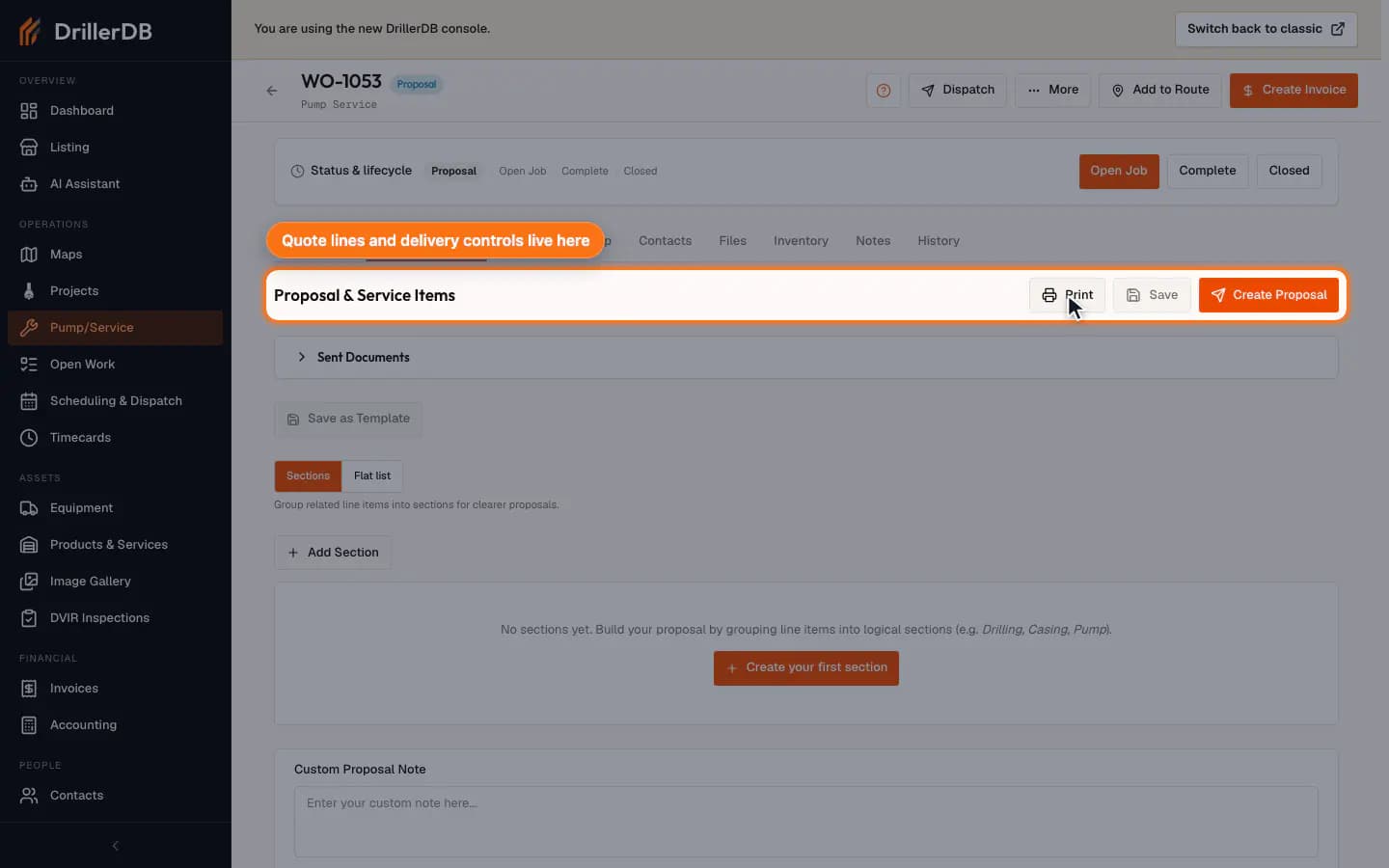
From the Pump/Service job, open the Proposal & Items tab. This single tab holds the quote line items plus the Print, Save, and Create Proposal controls - the quote lines ARE the service items for this job.
For service calls, quote from the Pump/Service job first so the customer, service detail, linked project, and later billing stay connected.
Add the service quote line
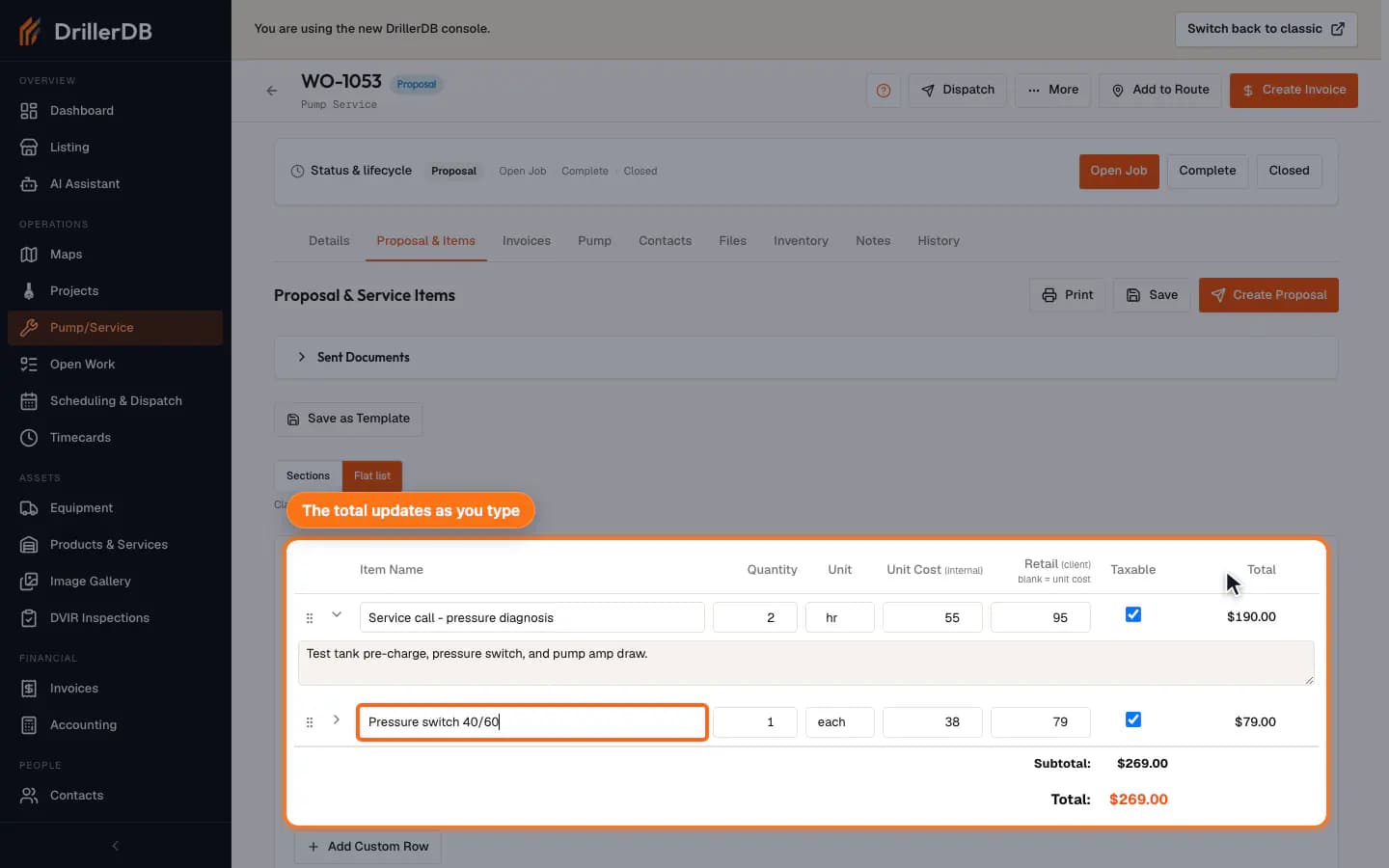
Choose Flat list above the line items (or add a section and use Add Line Item), then click Add Custom Row. Search your Products & Services catalog or type the item name, then add optional details, quantity, unit, your internal unit cost, and the retail price the customer sees (leave Retail blank to charge the unit cost). Catalog picks autofill price, unit, and tax. A new row is not stored until you save.
Save the quote
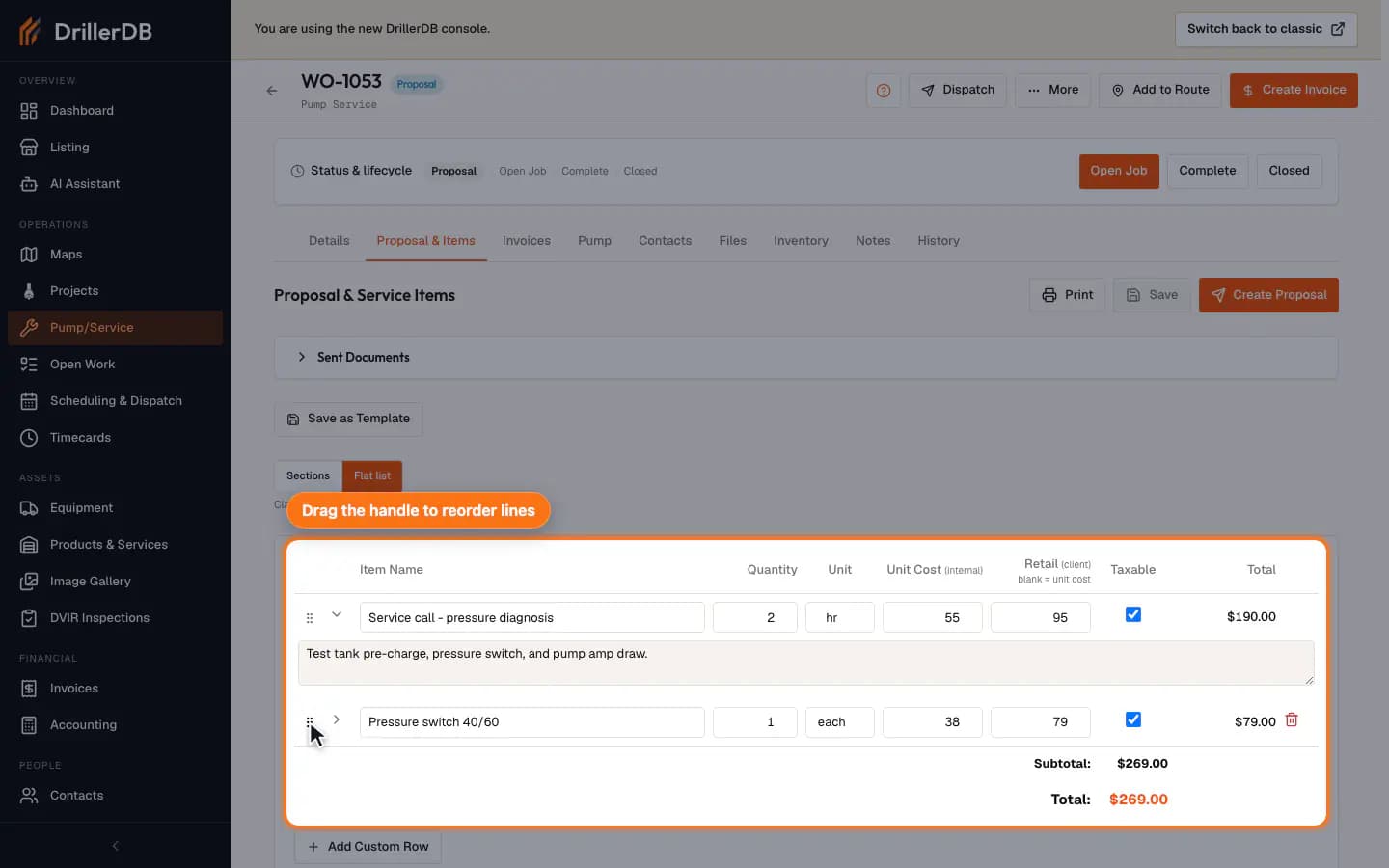
Click Save to store the lines on the work order. Save stays greyed out until something is unsaved, so it turning active means you have work pending. Drag a row by the handle on its left to order the lines the way the customer should read them.
If the scope changes after the technician visits, edit the same line item or add another line instead of starting a disconnected quote.
Use delivery controls only when ready
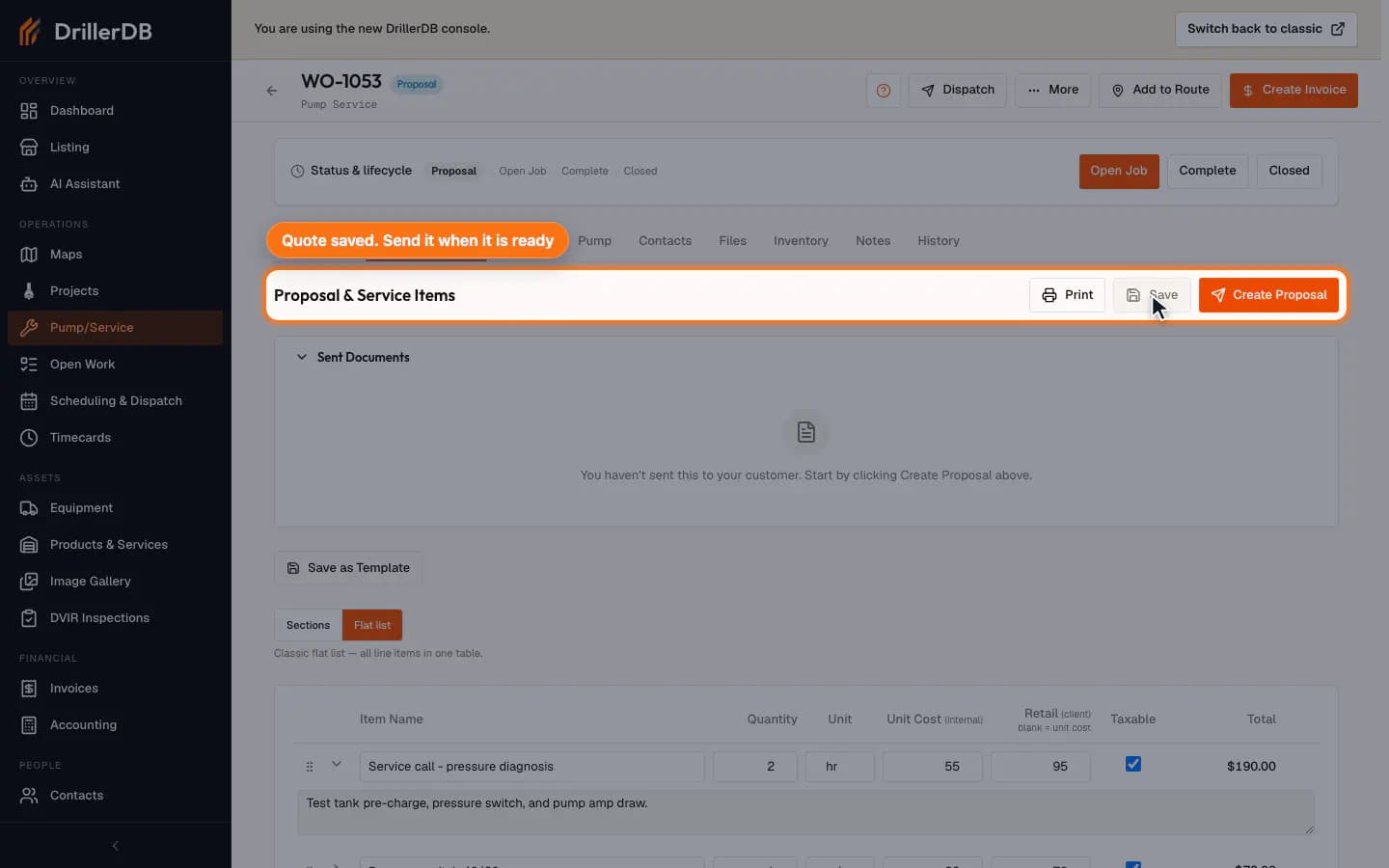
Use Print for a PDF copy or Create Proposal to email the quote to the customer directly from this work order - service proposals operate at the service-job level, not the parent project. Create Proposal saves your pending edits first, then opens the Send Pump/Service Proposal dialog (its send button is Send Proposal). Once the customer has approved a proposal, the same button becomes Create Change Order. Its send dialog starts on Change order; choose Proposal under Document type to send a new proposal instead. Sent proposals appear in the Sent Documents card, with open tracking and approval status.
Guide recordings stop here. Do not send a real proposal until the recipient, message, terms, and price are ready for the customer.
Customer delivery
The Proposal & Items tab is the safest place to draft and save the service quote. For real customer delivery, verify the recipient, message, terms, and price before using Create Proposal to email the customer-facing proposal from the service job.