
This guide is based on a browser-recorded walkthrough in the rebuilt DrillerDB console. When a step can send, submit, export, or change account access, the guide calls out the review boundary.
Use Weekly Review to check each person's week, open a day's detail, approve it and export it for payroll; Time Off to see balances and approve or deny requests; and Settings for who manages timecards, overtime, double time, lunch and time-off policies.
Quick Start
- Open Timecards and use the top navigation to move between overview, weekly review, time off, and settings.
- Review daily entries and weekly totals before approving or exporting anything.
- Open Weekly Review to inspect submitted entries and the daily detail panel, then approve the week and export it with Export CSV (under More on a narrower screen).
- Open Time Off to see balances, filter requests by status, and approve or deny pending requests.
- Open Settings to confirm overtime, lunch, and time-off policy context before payroll export.
- Admins: in Settings, use Who can see and approve everyone's timecards to choose between admins, office staff and field supervisors (the default) or only admins and the people you pick.
Step-by-Step: Time & Payroll
Open the Timecards workspace
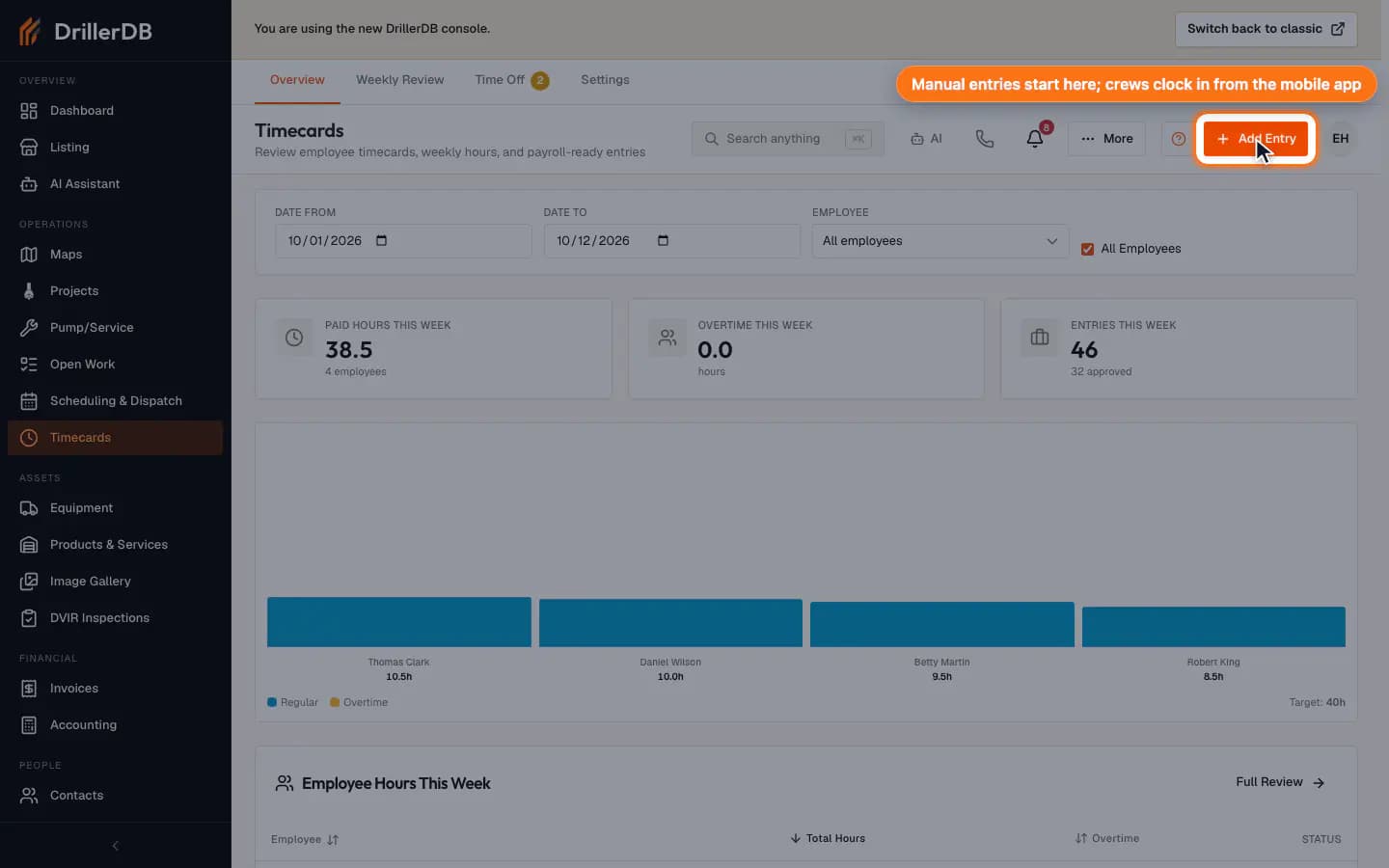
Open Timecards to see the Overview, Weekly Review, Time Off, and Settings tabs. Add Entry records a missed shift by hand; crews clock in and out from the mobile app.
The Track Time guide covers daily clock-in and manual-entry preparation. This guide focuses on office review and payroll readiness.
Review the week before approval
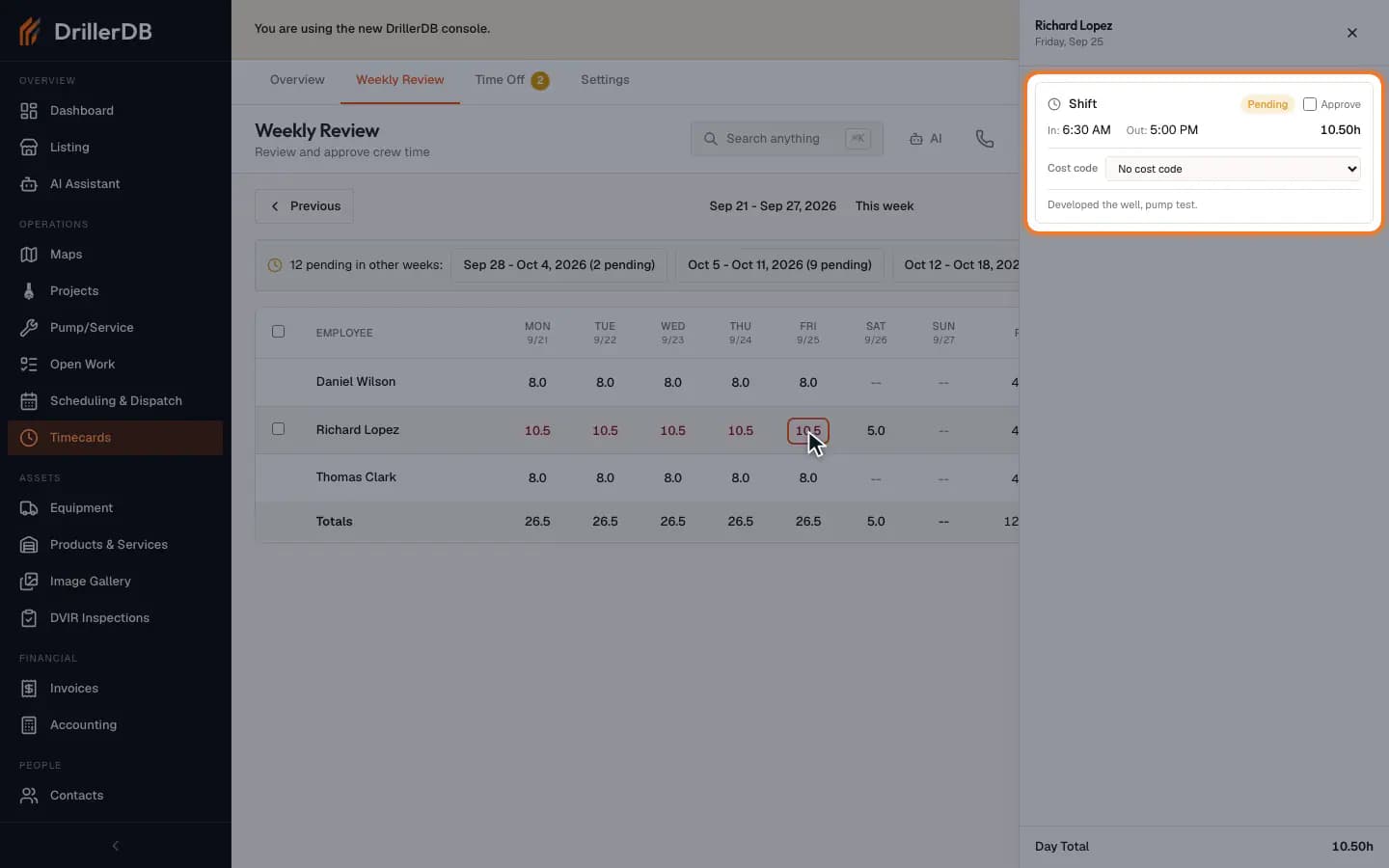
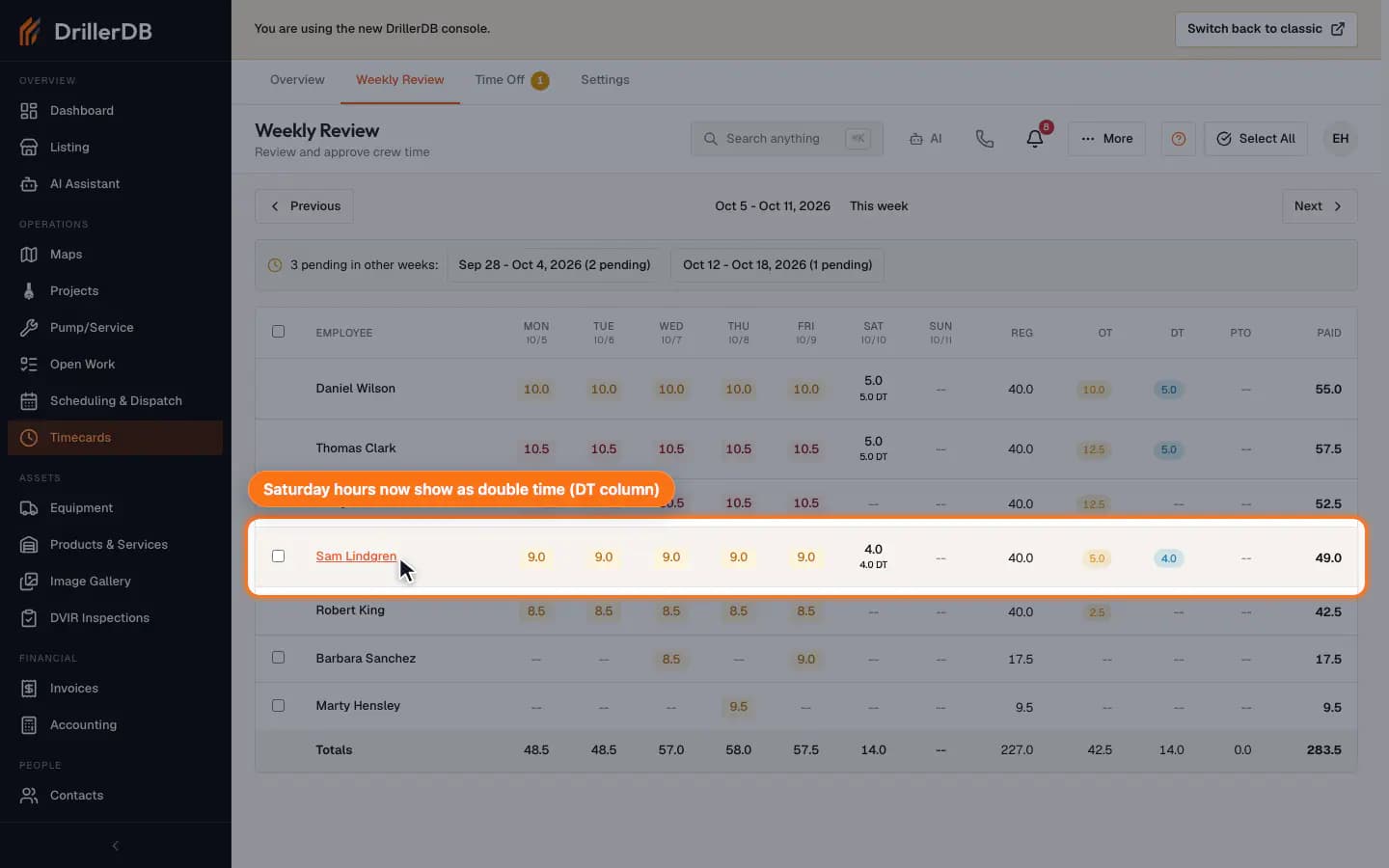
Open Weekly Review to compare each employee's daily totals, regular hours, overtime, selected entries, and the approval/export controls.
Approve and Export CSV are payroll-impacting actions. Use them only after hours and exceptions have been reviewed.
Approve the week and export it
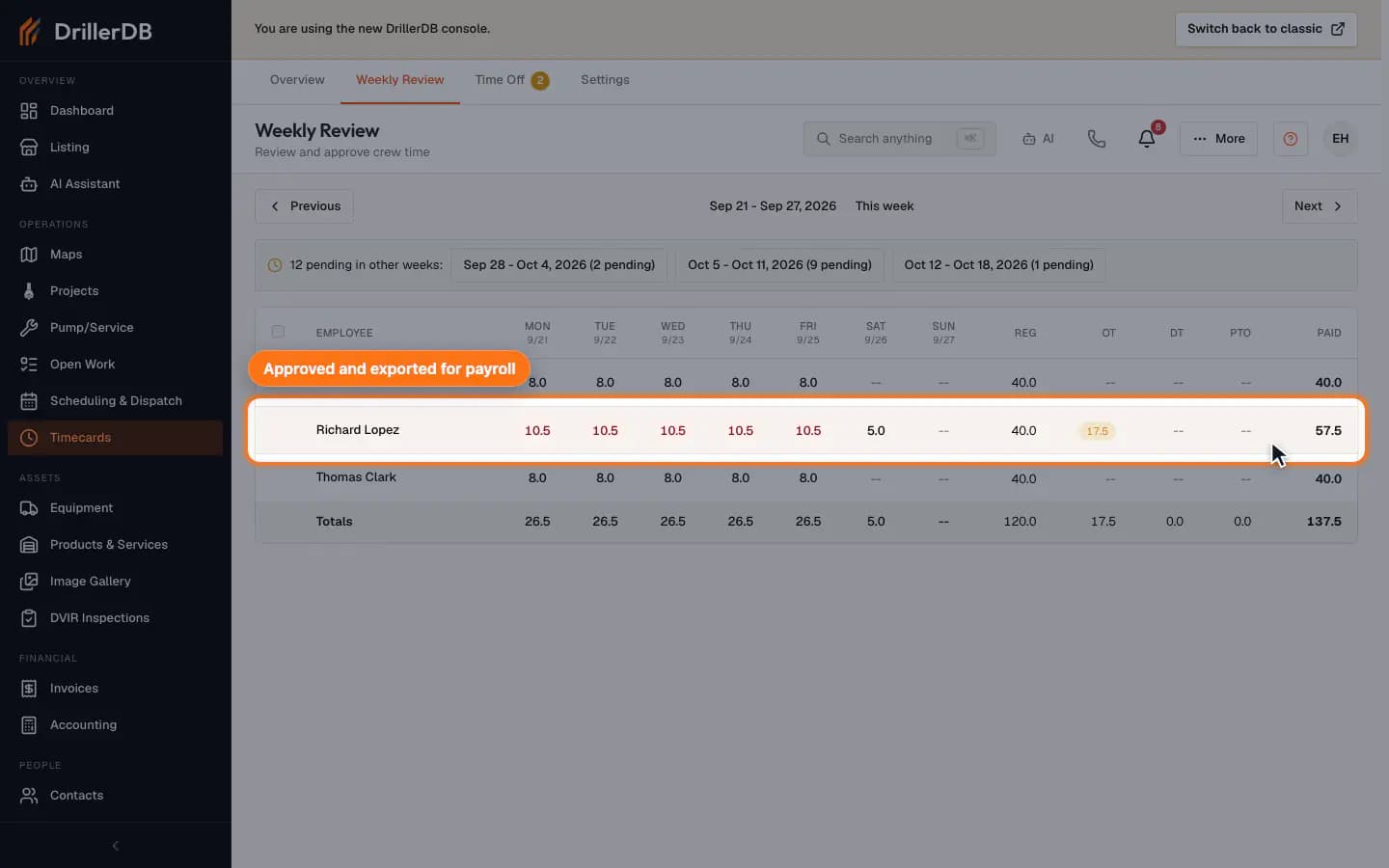
Tick the box next to an employee to select their pending entries, then select Approve. Approved entries can no longer be selected. To send hours to payroll, select Export CSV (under More on a narrower screen), check the date range, and select Download CSV.
Review time-off requests and balances
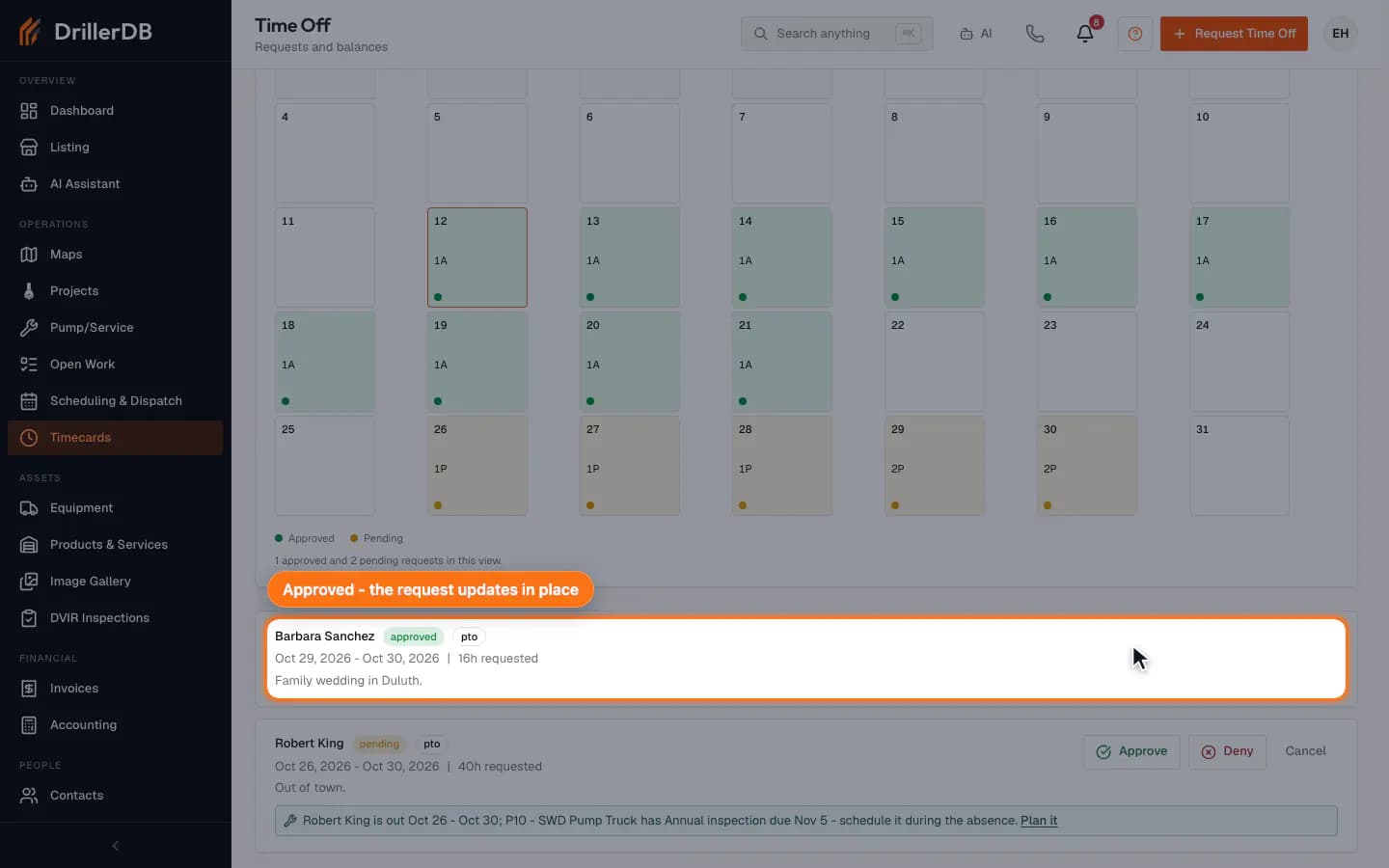
Open Time Off to see your balances, filter requests by status, and approve or deny pending requests. A reviewed request updates in place.
Check policy settings before payroll
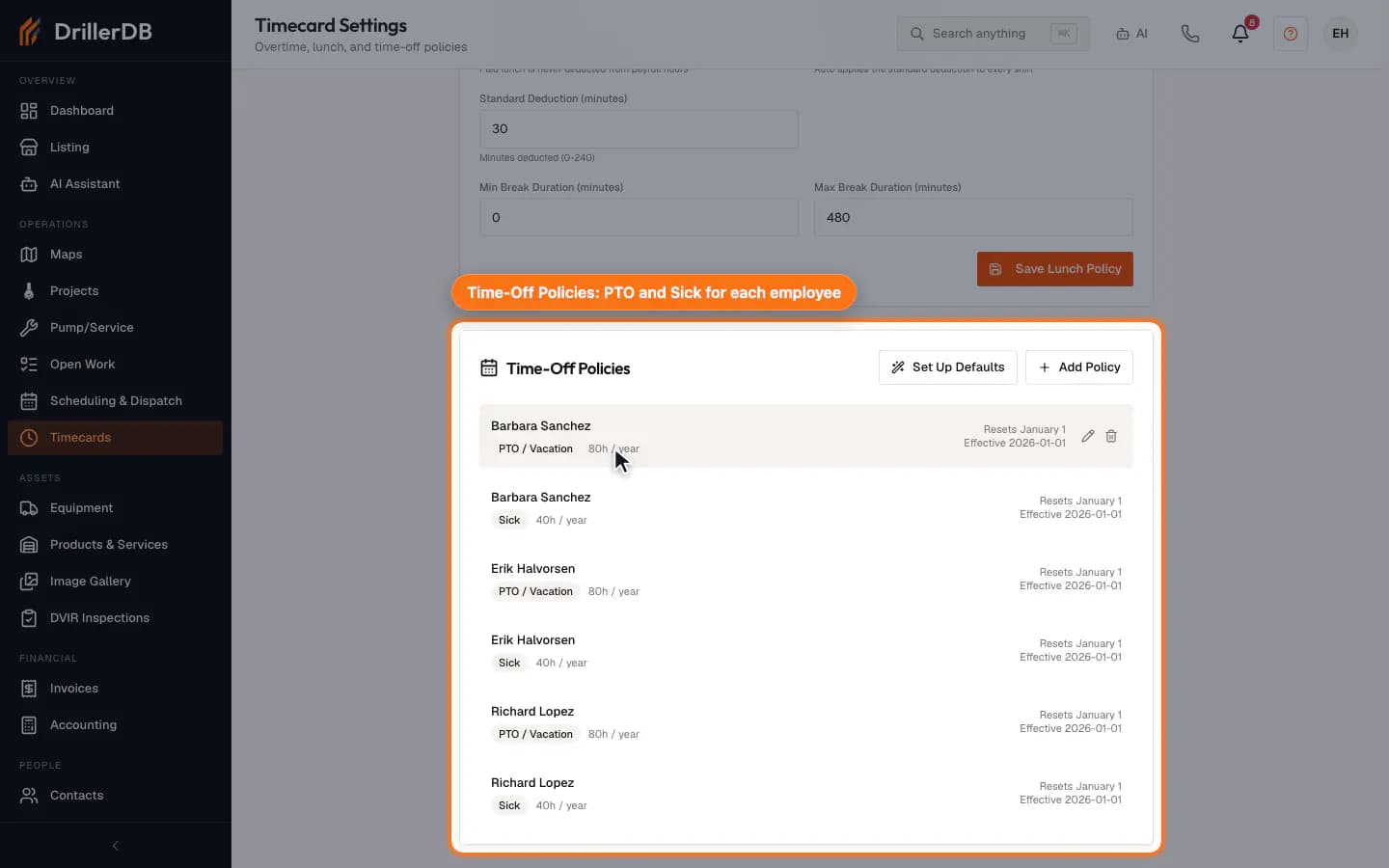
Open Settings to review overtime thresholds, lunch deduction policy, and time-off policy settings before anyone saves payroll-affecting configuration changes. Admins also see Who can see and approve everyone's timecards at the top. Admins, office staff and field supervisors is the default: everyone with one of those roles sees, edits, approves and exports all employees' time. Only admins and the people I choose keeps admins in and lets you tick the office staff or field supervisors who should also have access. Everyone else, including field supervisors you did not tick, sees and edits only their own time: no All employees filter, no Weekly Review, no approve or reject, no payroll export, and no other employee's timecard page. Their dashboard lists only their own unapproved timecards, they do not get new time-off request alerts, and Reports does not show them other employees' hours. In job costing they see only the capture warnings and cost entries about themselves or about no one. The same rule applies to approving or rejecting time in the mobile app and to the AI assistant. The ADP RUN payroll file and the ADP employee numbers behind it follow the same choice, with one difference in the default: admins and office staff have them and field supervisors do not. With Only admins and the people I choose, only admins and the people you tick can download the ADP RUN file or see the ADP employee numbers. An accountant user can still export hours for the books, but not the ADP RUN file. Save, and the card shows the setting as stored.
Use the timecard access setting when one person runs payroll. Field supervisors still lead crews and schedule jobs; only other people's timecards are hidden from them.
Weekend and after-hours double time
In Timecards > Settings > Overtime Policy, select Saturday, Sunday, or both to pay those minutes at the existing double-time multiplier. The optional daily After-hours window can cross midnight; its start is included and end excluded. Rules use the company timezone and default off. Qualifying minutes still count toward overtime thresholds and earn double time only once. Adjusted net minutes are spread proportionally across the clocked interval. Save Overtime Policy to apply the rule to summaries, weekly review, and payroll exports.
Payroll boundary
This guide walks the office side of timecards: it approves one employee's week, exports it as a payroll CSV, approves a time-off request, and saves two settings. Crews clock in and out from the mobile app; this guide does not clock anyone in or out or send anything to a payroll provider.
Approve and export only after the office has reviewed the pay period, employee entries, request status, policy settings, and payroll destination.