
Adding Contacts
Creating a contact keeps accurate records for everyone you work with. The New Contact form captures the essentials quickly, and you can add roles, extra contacts, and billing details afterward.
Quick Start: Add a New Contact
- Open Contacts from the sidebar
- Click Add Contact
- Enter a name and/or company
- Choose the Type (Customer, Vendor, or Subcontractor)
- Add phone and email
- Click Save Contact
Step-by-Step: Create a Contact
Step 1: Open the New Contact Form
- Click Contacts in the sidebar
- Click Add Contact
- The New Contact form opens with empty fields
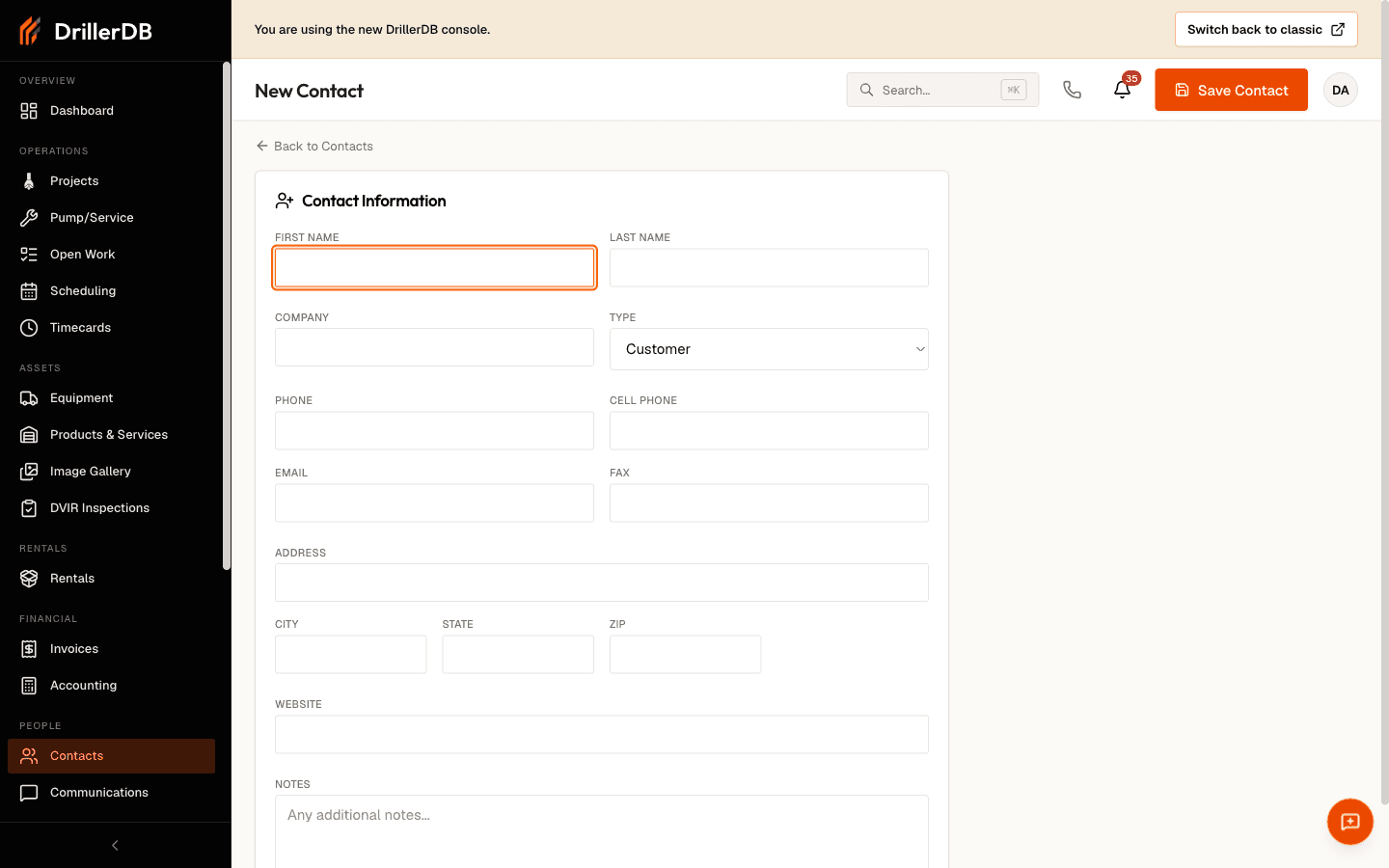
Step 2: Enter Name Information
| Field | When to Use |
|---|---|
| Company | Companies, contractors, builders |
| First Name | Individual contacts |
| Last Name | Individual contacts |
You must enter at least a first name, last name, or company before the contact will save.
Step 3: Choose the Type
Pick the contact Type from the dropdown:
| Type | Use For |
|---|---|
| Customer | Property owners and the people you bill |
| Vendor | Suppliers and companies you buy from |
| Subcontractor | Trades and partners you hire |
Owner, Builder, and Pump Installer roles are set later on the Edit screen - see Contact Types.
Step 4: Add Contact Information
| Field | Description | Example |
|---|---|---|
| Phone | Primary phone number | (555) 123-4567 |
| Cell Phone | Mobile phone | (555) 987-6543 |
| Primary email | john@example.com | |
| Fax | Fax number (optional) | (555) 111-2222 |
Add an email so you can send proposals and invoices to this contact later.
Step 5: Enter the Address
| Field | Description |
|---|---|
| Address | Street address |
| City | City name |
| State | State |
| Zip | Postal code |
Why the address matters:
- Links to project locations
- Helps with route planning for field crews
Step 6: Add a Website and Notes (Optional)
Add a website URL if the contact has one, and use the Notes field for anything worth remembering - preferred contact method, site access details, or historical context.
Step 7: Save the Contact
- Review what you entered
- Click Save Contact
- The contact's detail page opens automatically
After Creating a Contact
Open the contact and click Edit to add details the New Contact form does not cover:
| Add | Where |
|---|---|
| Owner / Builder / Pump Installer role | Contact Role checkboxes |
| Billing Email | Separate from the primary email, for invoices |
| Second phone (Phone 2) and extension | Phone fields |
| Additional contacts | The Additional Contacts section |
| Tax group or tax-exempt status | Tax Settings |
Adding Additional Contacts
For companies with more than one person to reach:
- Open the contact and click Edit
- Under Additional Contacts, click Add Contact
- Enter the person's name/title, email, cell, phone, and fax
- Repeat for each person, then click Save Changes
| Role | Example Person |
|---|---|
| Project contact | Project manager |
| Billing contact | Accounts payable |
| Technical contact | Site supervisor |
Validation Errors
| Error | Solution |
|---|---|
| "At least a name or company is required" | Enter a first name, last name, or company |
| "Invalid email address" | Check the email has an @ and a domain |
What You Can Do Next
Once saved, the contact is immediately available to:
| Action | How to Use |
|---|---|
| Start a project | Open the contact and click New Drilling Project |
| Start a work order | Open the contact and click New Pump/Service |
| Bill the contact | Select it as the billing recipient on an invoice |
| Find it again | Search Contacts by any field you entered |
Best Practices
For consistency:
- Use consistent company naming (e.g., "ABC Construction, Inc.")
- Enter phone numbers the same way each time
Before creating:
- Search Contacts first to avoid duplicates
- Add a billing email if invoices go to a different person
Troubleshooting
Can't save the contact?
- Make sure at least one of first name, last name, or company has text
- Fix any email flagged as invalid
Contact not appearing in search?
- Enter at least two characters
- Try a different field
- Clear any active role filter
Need to edit after saving?
- Open the contact and click Edit
- Make changes and click Save Changes
Created a duplicate?
Related Topics
- Contacts Overview - Search and navigate contacts
- Contact Types - Types and roles
- Customer History - Projects, invoices, and communications
- Consolidating Duplicates - Merge duplicate records